


How to Make Game Music with AI?
Describe your game scene, write a mood prompt, upload reference audio, or drop in concept art — our AI game music maker turns any input into a polished, loop-ready soundtrack for your game.
Describe your game scene in detail — boss fight, exploration, menu screen, or cutscene — and let the AI craft a full instrumental track that matches the pacing, intensity, and emotional arc of that moment.
Choose from orchestral, chiptune, synthwave, ambient horror, lo-fi cozy, cinematic, or dozens of other game genres. Lock in tempo, key, and duration so each track transitions cleanly between scenes.
Hit Create and get a royalty-free, loop-ready game soundtrack in seconds — mixed with carved mid-range to leave headroom for SFX, dialogue, and gameplay audio.

Paste or write lyrics if you want a vocal game track — like an anime opening, RPG vocal theme, or ending credits song. The AI composes music around your words automatically.
Select instrumental mode for pure background music — ideal for gameplay loops, exploration ambience, combat underscoring, and any scene where vocals would distract from the action.
Generate a complete game music track with real song structure — intro, build, climax, breakdown, and outro — not just a flat 30-second loop.

Upload a reference track from your favorite game OST or any existing music that captures the vibe you want. The AI uses it as creative direction for your new game soundtrack.
The AI analyzes your reference for instrumentation, tempo, dynamics, and production style — then generates an original track inspired by that sound, never a copy.
Export as MP3 or WAV and import directly into Unity, Unreal, Godot, GameMaker, RPG Maker, or Roblox Studio — game-engine ready out of the box.

Drop in concept art, a level screenshot, character design, or environment mockup — the AI reads the visual tone and maps it to matching game music atmosphere.
Fine-tune the output: lock BPM for sync-sensitive scenes, set exact duration for cutscenes, choose intensity level (subtle bed vs. full combat track), and pick instrument palette.
Click Create and receive a game soundtrack tuned to the visual world of your image — from dark dungeon corridors to bright overworld meadows, the music matches what players see.

Why Use TopMediai as Your Game Music Maker?
Royalty-Free Game Music License
Every track from our game music maker is fully royalty-free with a commercial license — safe for Steam, itch.io, console, mobile, Roblox, and YouTube playthroughs with zero copyright risk.
Music V5.5 — Game-Tuned AI Model
Powered by Music V5.5, our AI delivers richer orchestral textures, more expressive dynamics, and deeper understanding of game genre nuance — from 8-bit chip tunes to AAA cinematic scores.
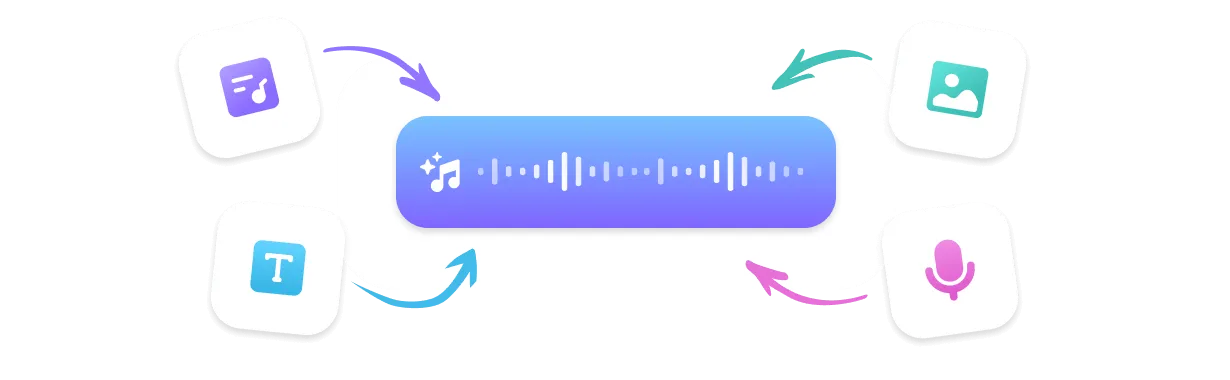
Flexible Creation Modes
Generate game music from text prompts, lyrics, reference audio, or concept art images — whichever fits your game dev workflow best.
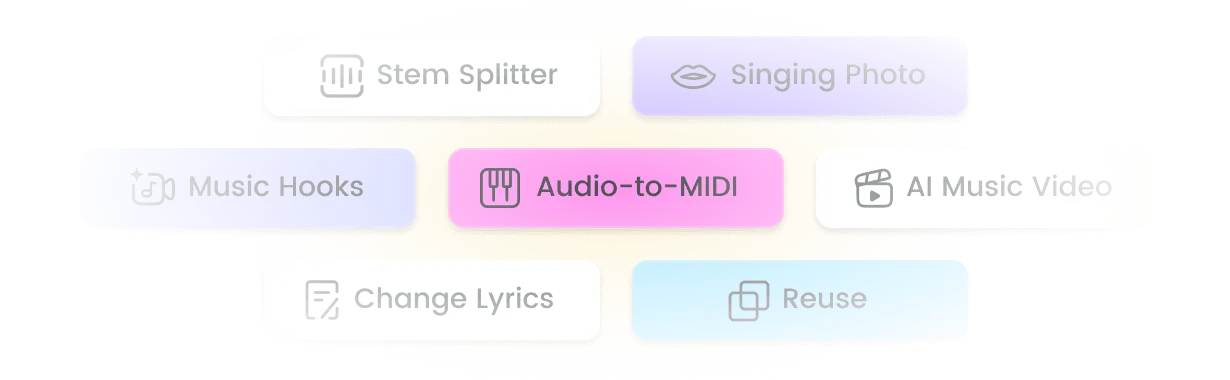
Full Audio Suite: Music + SFX + Stems
Go beyond basic generation — Extend tracks for longer cutscenes, create Mashups, extract Samples, plus access Stem Splitter and AI Sound Effect Generator for a complete game audio pipeline in one plan.
Top Use Cases for the Game Music Maker
Indie Game Soundtracks & OSTs
Compose complete OSTs for indie games — menu themes, exploration ambience, combat underscores, boss battle anthems, and cutscene scores. All tracks are loop-ready, game-engine compatible, and royalty-free for Steam and console release.
Game Videos, Trailers & Streaming
Generate epic orchestral, synthwave cyberpunk, or atmospheric horror background music for gameplay videos, game trailers, Let's Play content, and streaming overlays. Every track is unique and copyright-safe.
Board Games, Visual Novels & EdTech
Create adaptive background music for board games, tabletop apps, interactive fiction, visual novels, and gamified learning platforms. Control mood, intensity, and duration to match player progression and story beats.
What Creators Say About Our Game Music Maker

I built my entire game jam prototype's soundtrack in one afternoon using this game music maker. Boss fight track, exploration theme, menu music — all generated from prompts and dropped straight into Unity. The orchestral quality blew everyone away at the showcase.
Marcus C., Indie Game Developer
As a solo dev I had zero budget for a composer. This video game music maker gave me chiptune platformer tracks, ambient puzzle music, and a cinematic finale — all royalty-free. My Steam reviews specifically mention how good the soundtrack sounds.
Priya S., Solo Game Creator
I use this tool for all my Roblox game projects. The ability to describe a scene and get a matching track in seconds is insane. I've made racing music, horror ambience, and even a cozy cafe BGM — all from the same game music creator.
Jake R., Roblox Studio Developer
Our team needed consistent music across 15 levels for a mobile RPG. We uploaded concept art for each zone and the AI generated region-appropriate tracks — snowy mountains got orchestral, desert ruins got ethnic percussion. Huge time saver.
Luna M., Mobile Game Studio Lead
I make YouTube gameplay videos and was tired of copyright strikes on background music. This game music maker creates original, high-quality tracks that feel professional. My channel grew after switching — viewers always ask where I get the music.
Daniel K., Gaming Content Creator
Top Features of TopMediai Game Music Maker
Explore TopMediai AI Music Generator — an all-in-one game music maker online to create, customize, and export royalty-free soundtracks across every game genre and engine format with ease.

No Music Skills Needed
Describe any game scene in plain English — 'spooky dungeon crawl', 'epic dragon boss fight', 'peaceful village overworld' — and get a polished instrumental track back. No DAW, no music theory, no production skills required.

Music V5.5 — Latest AI Model
Music V5.5 delivers more natural dynamics, sharper genre understanding, and richer orchestral textures than ever — trained on game music patterns across chiptune, orchestral, synthwave, ambient, and cinematic styles.

400+ Game Music Styles
Generate across 8-bit chiptune, 16-bit JRPG, orchestral fantasy, synthwave cyberpunk, dark ambient horror, lo-fi cozy, racing EDM, sci-fi space, minimalist puzzle, and 400+ more game-ready styles.

Custom Voice for Vocal Themes
Record or upload your own voice to create custom vocal game themes — anime-style openings, RPG vocal endings, or character leitmotifs. The AI adapts your voice to fit any game music arrangement.

Multi-Format Export for Game Engines
Export game tracks as MP3, WAV, MP4, or SRT — optimized for Unity, Unreal, Godot, GameMaker, RPG Maker, Roblox Studio, and Construct. Drop directly into your game engine without conversion.

Fast Game Music Generation
Get a complete, structured game music track in under a minute — including intro, build, climax, and outro sections. Fast enough for game jam deadlines and rapid prototyping iterations.

Reference OST Upload
Upload any reference track — a favorite game OST, a temp score, or a style example — and generate original music inspired by its instrumentation, tempo, and mood. Perfect for maintaining audio consistency across a full game.

Remix Suite: Extend, Mashup & Stems
Extend short tracks into full cutscene scores, blend two game themes into a Mashup, extract Samples for UI sounds, or use Stem Splitter to isolate layers — all within one platform for end-to-end game audio production.
Explore More Than Just Game Music
FAQs about the Game Music Maker

Best Free Video Game Music Maker for Indie Developers
Create royalty-free, loop-ready game soundtracks with our AI game music maker — from chiptune to cinematic, every scene covered.