app entrance imageAPP
Video

CREATE VIDEO

Text to Video

Image to Video

AI Avatar

Music Video

Short Video

EDIT VIDEO

Video Extender

Add Sound Effect

Video Effects

Video to Video

Video Enhancer

Mimic

AI Dance

Model

model-icon
Pixverse V6
Audio

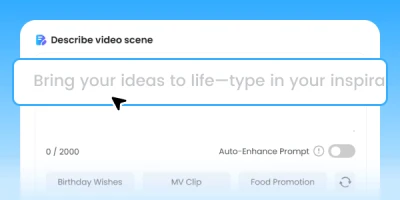
Describe video scene

0 / 2000
Auto-Enhance Prompt
Generate audio

Generate Storyboard

Settings:
540p
3s
16:9

Creation

Inspiration

Instant Text to Video AI Online for Free

Try our AI text-to-video generator — fast, smooth, multilingual, powered by multiple models.

  • TopMediai
  • TopMediai Pro
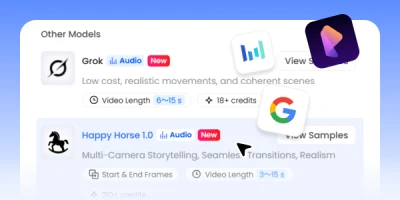
  • Grok
  • Happy Horse
  • Seedance
  • Google Veo
  • Pixverse
  • Wan
  • Hailuo
  • Kling
  • Kling O1
  • Vidu

Find the Right AI Video Models for Your Creative Workflow

TopMediai Pro AI video model preview

TopMediai Pro

Cinematic single-shot AI video generator

If you need a quick, polished video from a simple text prompt, TopMediai Pro is your starting point with fast single-shot generation, clean output, and no complex setup required.

From Prompt to Published — Text to Video AI Built for Creators

  • Text to Video in Seconds

    Text to Video in Seconds

    Turn any text prompt into a smooth, cinematic AI video with no editing skills required.

  • AI Prompt Optimizer

    AI Prompt Optimizer

    Type a rough idea, hit AI Optimize, and your input gets rewritten into a detailed, model-ready prompt instantly.

  • Multilingual Prompt Support

    Multilingual Prompt Support

    Write in any language, including English, Chinese, Japanese, and more. Our AI generates video regardless of what language you type in.

  • Audio-Native Video Generation

    Audio-Native Video Generation

    Select models that generate dialogue, ambient sound, and Foley effects in one pass with no post-production dubbing.

  • Multi-Shot Storytelling

    Multi-Shot Storytelling

    One prompt, multiple scenes. Our AI breaks your text into a structured shot sequence, turning any script into a complete narrative video.

  • Built for Commercial Creation

    Built for Commercial Creation

    Paid users get royalty-free videos cleared for ads, client work, YouTube, and social campaigns.

Text to Video in Seconds

Text to Video in Seconds

Turn any text prompt into a smooth, cinematic AI video with no editing skills required.

AI Prompt Optimizer

AI Prompt Optimizer

Type a rough idea, hit AI Optimize, and your input gets rewritten into a detailed, model-ready prompt instantly.

Multilingual Prompt Support

Multilingual Prompt Support

Write in any language, including English, Chinese, Japanese, and more. Our AI generates video regardless of what language you type in.

Audio-Native Video Generation

Audio-Native Video Generation

Select models that generate dialogue, ambient sound, and Foley effects in one pass with no post-production dubbing.

Multi-Shot Storytelling

Multi-Shot Storytelling

One prompt, multiple scenes. Our AI breaks your text into a structured shot sequence, turning any script into a complete narrative video.

Built for Commercial Creation

Built for Commercial Creation

Paid users get royalty-free videos cleared for ads, client work, YouTube, and social campaigns.

Who Can Benefit from Our Text to Video with AI Tool?

JSON structure

Use structured parameters to control every technical variable, including model, resolution, duration, seed, and more.

Best for:Batch generationAPI workflowsConsistent output at scale

Camera control

Specify shot type, lens, movement, and framing directly in your prompt. No timeline or keyframes needed.

Best for:Cinematic B-rollTravel contentFilm-style storytelling

Edit series

Describe a sequence of cuts as a single prompt. Rhythm, transitions, and pacing all come from your words.

Best for:TikTokReelsYouTube ShortsBrand montages

Natural language

Write freely. Describe action, atmosphere, and sensory detail in plain sentences for immersive results.

Best for:Cinematic experienceTravel contentAtmosphere videos

Storyboard

Break your video into timed beats and describe exactly what happens at each moment for precise scene-by-scene control.

Best for:Narrative filmsAd storyboardsMulti-scene storytelling

How to Generate Videos with Text to Video AI?

  1. Enter Your Text Prompt

    1. Enter Your Text Prompt

    Type a prompt, paste a script, or start from a creative idea. Add details like scene, camera, style, motion, and mood.

  2. Choose a Model and Settings

    2. Choose a Model and Settings

    Choose the AI video model that fits your goal, then set duration, aspect ratio, quality, and generation options.

  3. Generate and Download

    3. Generate and Download

    Generate your video, preview the result, then download it or continue refining your prompt.

FAQs About AI Text to Video Generator

It’s an AI-powered video generator that turns text prompts into high-quality videos with smooth camera motion and multilingual support.

Best Text to Video AI — Your Next Video Starts With a Sentence.

Type your idea and let our text to video AI handle the rest.