

 Up to 76% off with code




 Join our Discord!

 Sora 2 AI Video Generator
Sora 2 brings cinematic video generation with next-level realism and speed. No invite code needed — try its stunning quality now in TopMediai AI Video Generator.
Try Sora 2 Now


Reverse the order
Supports JPG/JPEG/PNG,up to 10 MB, Minimum width/height is 300px
Supports JPG/JPEG/PNG,up to 10 MB, Minimum width/height is 300px
Hints


- Flight
- Emotion
- Cartoon
- Live Streaming
- Horror
- Advertising

What is Open AI Sora 2?
Open AI Sora 2 is the latest evolution in AI video generation, developed with a cutting-edge multi-modal architecture that combines text, image, and motion understanding for hyper-realistic results. It creates smooth, cinematic videos with natural lighting, detailed scenes, and lifelike dynamics — all from simple text prompts. Unlike previous versions, Sora 2 runs faster, generates longer clips, and supports higher visual fidelity.
Try Sora 2 now in TopMediai AI Video Generator and see the difference yourself.
Key Features of Open AI Sora 2 AI Video Generator
Sora 2 pushes AI video generation to new heights with realistic world simulation, native audio, expressive motion, and seamless multi-scene storytelling.

Generates motion and gravity that follow real physics, even imperfect actions.

Creates synced dialogue, effects, and ambient sounds with visuals.

Supports multi-shot prompts with consistent scenes and flexible styles.

Adds real faces or voices from short clips directly into generated videos.

Keeps characters and settings stable across multiple shots and angles.

Produces sharp, cinematic visuals with realistic lighting and full HD output.
Physically Accurate World Simulation by Sora 2
Sora 2 delivers lifelike motion and physics where objects bounce, collide, and react naturally to gravity. It even captures realistic imperfections—like missed actions or failed attempts—making every scene feel more authentic.
Sora 2’s Synchronized Video and Audio Engine
Experience perfectly aligned visuals and sound. Sora 2 generates speech, ambient audio, and sound effects that match every lip movement and environmental cue, eliminating silent or mismatched clips.
Consistent Multi-Shot Powered by Sora 2
Create complex scenes with full control over actions, camera movement, and style. Sora 2 keeps characters, lighting, and environments consistent across shots for seamless, cinematic results.
Real-Person Cameo Integration with Sora 2
Upload short video or audio samples to let Sora 2 seamlessly bring real people into your AI-generated videos, preserving their likeness, expressions, and voice tone with stunning realism.
How to Generate Videos with Sora 2 on TopMediai?
Sign in to TopMediai AI Video Generator’s dashboard, and select the Sora 2 video generator model.

Type your idea or upload an image to bring it to life. Sora 2 supports both text-to-video and image-to-video creation.

Export your video in up to 1080p quality and share it anywhere — full commercial rights included.


Unlock Sora 2’s True-to-Life Video Generation
Experience OpenAI’s latest Sora 2 model on our platform. Generate lifelike videos with natural motion, synced audio, and seamless scene consistency.
Try Sora 2 Now
Other AI Video Generator vs TopMeidiai AI Video Generator
See how TopMediai AI video generator stacks up against other AI video generators in speed, pricing, features, and usability — and why it might be the better choice for your next video.
-
Supports only single model, limited styles and effects
-
High cost per model, requires multi-subscriptions
-
Text or image input only
-
Limited to One Job at a Time
-
Infrequent Video Effect & Template Updates
-
No Support for Short Video Generation
-
Commercial Use Not Supported
-
Multiple models (Sora 2, Veo 3, Nanobanana Pro and more) in one platform
-
All-in-one plan, access to multiple high-end models
-
Supports text/image to video, video to video, video extender, and more
-
Supports 5 Concurrent Video Jobs
-
Weekly Updates with Fresh Video Effects
-
Flexible Short Video Generation Support (10–70s)
-
Commercial Use Licensed
Explore More AI Video Models in TopMediai

Builds cinematic worlds from simple prompts

Next-gen video generator with audio

Expressive video generator for cinematic motion

Cinematic video generator with realistic, fluid motion.

Cinematic video generator with realistic, fluid motion.

AI Video Generator with Cinematic, Physics-Accurate Motion
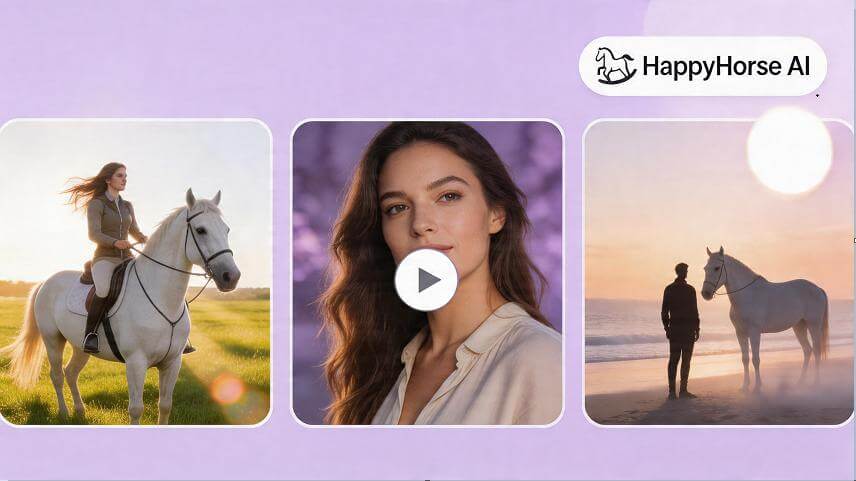
AI video model with native audio & multilingual lip-sync
FAQs About Sora 2 AI Video Generator
-
Q1: Can I use Sora 2 online?
You can try Sora 2 directly in the TopMediai AI Video Generator without any access code. Some advanced features may require a premium plan.
-
Q2: Do I need to make an account to generate videos with Sora 2?
Yes, you'll need to create a TopMediai account to access Sora 2 and export your generated videos. Signing up takes only a few seconds and gives you full access to all features.
-
Q3: How long are the videos generated by Sora 2?
Sora 2 can generate videos up to around 10 seconds per clip, depending on the prompt's complexity. The model supports both short-form and multi-shot sequences for continuous storytelling.
-
Q4: How long does it take to generate a video?
Most clips are rendered within minutes. The exact time depends on your prompt's detail, duration, and selected style.
-
Q5: What video formats does Sora 2 support?
Videos generated by Sora 2 are typically exported in MP4 format, with support for 16:9 and 9:16 ratios and resolutions up to 1080p.
-
Q6: What types of input media does Sora 2 accept for reference?
Sora 2 supports text and images as input sources, giving you full flexibility to define your creative direction.
-
Q7: Is commercial use allowed?
Yes. Videos created through TopMediai with Sora 2 can be used commercially, as long as you comply with the platform's usage terms.
-
Q8: What makes Sora 2 different from other AI video generators?
Sora 2 stands out for its realistic physics, synchronized sound, multi-shot control, and scene consistency. It's designed for smooth, natural motion and high-quality storytelling.

Experience Sora 2 Today!
From text to motion, create vivid, realistic videos powered by OpenAI’s Sora 2 model. Start generating today on TopMediai.