

 Up to 76% off with code




 Join our Discord!


The best audio editor in 2026 depends on what you need — trim a podcast, clean a voiceover, or finish a track. AI and rising podcast demand have narrowed the gap between free and paid tools, but the right pick still comes down to your workflow. This roundup ranks seven popular editors. From the free classic Audacity to the AI all-in-one TopMediai, here is where each fits and why.
Secure Visit
Table of Contents
Part 1: Quick Comparison: 7 Best Audio Editors
Each editor is scored on five weighted criteria — Ease of use (20%), Editing & creation power (25%), AI / modern workflow (15%), Value for money (20%), and Platform reach (20%). The composite out of 5 determines the ranking, so a higher rank always means a higher score.
| Rank & Tool | Best For | Free Tier | Price (from) | Rating |
|---|---|---|---|---|
| Audacity | Free, all-round editing | Yes (full) | Free | 4.8/5 |
| TopMediai | AI all-in-one: generate, clean & remix | Yes (trial) | $8.99/mo | 4.7/5 |
| Adobe Audition | Pro / industry standard | No | $22.99/mo | 4.6/5 |
| GarageBand | Free for Mac & iPhone | Yes (full) | Free | 4.5/5 |
| WavePad | Free, cross-platform (Win/Mac/Android/iPhone) | Yes (non-commercial) | Free | 4.4/5 |
| Descript | Podcasts & text-based editing | Yes (limited) | ~$16/mo | 4.3/5 |
| AudioMass | Best free online / browser editor | Yes (full) | Free | 4.2/5 |
Part 2: How to Choose the Right Audio Editor in 2026
Before picking from the list, know which camp a tool falls into — because the top audio editor for one job is rarely the right pick for another. Knowing which category of audio editing softwares you actually need is the fastest way to cut the list in half. And finding the audio editor best for your workflow is about matching the tool to the job, not chasing one universal winner.
1 Waveform Editors vs. AI-Assisted Tools
Waveform editors (Audacity, Adobe Audition, GarageBand, AudioMass) let you cut, trim, and process audio on a timeline. They are unbeatable for precise, hands-on work. AI-assisted tools (TopMediai, Descript) do the work for you — denoise a voice, separate vocals, or turn a text prompt into a finished track. If you want control, pick the former; if you want speed and zero learning curve, pick the latter. Many creators use both. The key difference: every traditional editor on this list works on audio you already recorded, whereas TopMediai is the only one that also creates the audio from scratch.
2 What to Check Before You Commit
- Platform: Windows-only tools won't help a Mac user; web tools like TopMediai work everywhere, while WavePad covers Windows, Mac, Android, and iPhone.
- Price model: free (Audacity, GarageBand, WavePad non-commercial, AudioMass) vs. subscription (Audition $22.99/mo) vs. credit-based AI (TopMediai).
- Noise reduction: essential for voiceovers and podcasts — look for spectral or AI cleanup (Audition's spectral display, TopMediai's AI Audio Enhancer, WavePad's AI noise removal, Descript's Studio Sound).
- Multitrack: needed if you layer instruments or interview guests — Audacity, Audition, GarageBand, and WavePad support it; AudioMass and TopMediai are single-track.
- Learning curve: GarageBand, WavePad, AudioMass, and AI tools are beginner-friendly; Audition needs real time to master.
Part 3: The 7 Best Audio Editors
1 Audacity — Best Free, All-Round Editor
Audacity is the world's most-downloaded free audio editor, with over 200 million downloads since 2000 and builds for Windows, macOS, and Linux. It remains the best audio editor for windows for anyone who wants a free, full-featured DAW, and is widely seen as the best freeware audio editor still in active development. It records and mixes multiple tracks, cuts and pastes with smooth volume mixing, and repairs audio with noise reduction and a spectrogram view for surgical cleanup. It supports VST3, LV2, Nyquist, VST, and AU plugins, imports and exports every common format (MP3, M4A, AIFF, FLAC, WAV), and saves projects to the cloud via Audio.com. A typical job: drop a 40-minute interview, capture a noise-reduction profile from a quiet moment, use Spectral view to click out mouth clicks, then export a clean MP3 in two clicks.
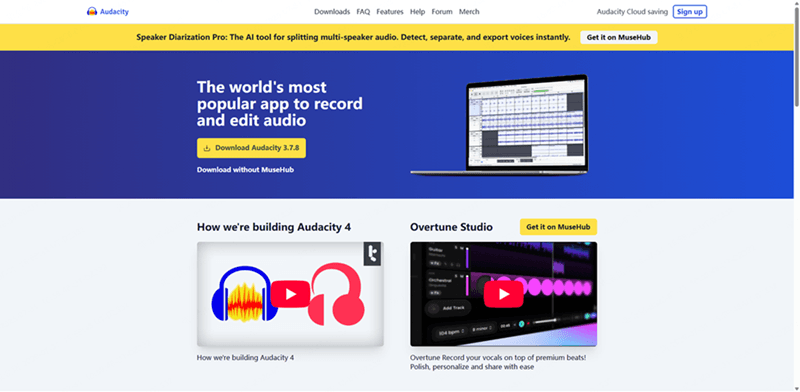
Free and open-source with 200M+ downloads since 2000.
Cross-platform (Windows, macOS, Linux) with VST3/LV2/Nyquist/AU plugins.
Noise reduction and spectrogram view for surgical cleanup.
- Completely free and open-source.
- Cross-platform desktop with a huge plugin ecosystem.
- Strong noise reduction and spectral editing.
- Desktop only — no official mobile app.
- Dated interface; no MIDI or virtual instruments.
Rating: 4.8/5 — Best for beginners, podcasters, and anyone who needs solid free editing without a subscription.
2 TopMediai — Best AI All-in-One: Generate, Clean & Remix
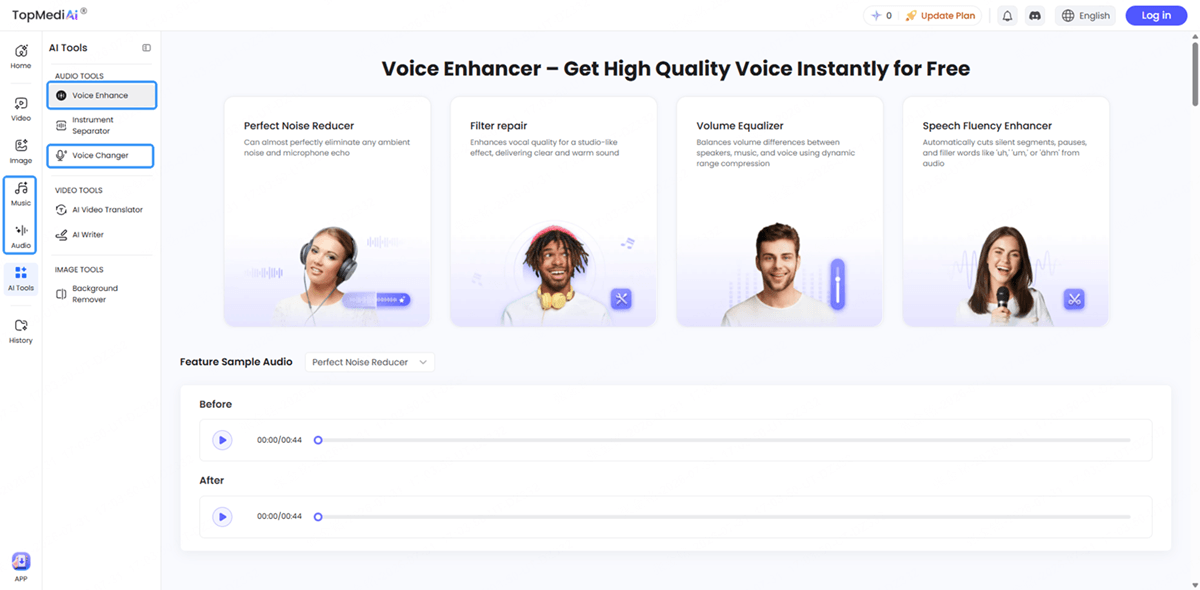
TopMediai is a good audio editor that takes a different path: instead of editing waveforms by hand, it uses AI to create and polish audio in one browser tab. It is also the best online audio editor for creators who want to generate, clean, and remix audio without installing a DAW. Its AI Music generator turns a text prompt into a full track and can extend, remix, or restyle it, with MIDI export for further work. The AI Audio Enhancer denoises recordings and lifts vocal clarity, the vocal separator splits stems, the voice changer swaps timbres, and built-in TTS voices number in the thousands. No other editor here does all four — create, clean, separate, and remix — in a single place. If your recordings come in noisy or muddy, the AI voice enhancer inside TopMediai cleans them up in one click before you edit.
Why it beats the others for a specific job: every traditional editor on this list works only on audio you have already recorded. TopMediai is the only one that also generates the audio — type a mood and genre, get a 60-second backing track, then clean it and remix it without ever opening a DAW or installing a plugin. For a creator who wants a finished piece fast, that end-to-end chain is the differentiator.
A real workflow: describe a "lo-fi beat, calm, 90 BPM" → generate the track → separate the vocals from a sample you want to reuse → run the AI Audio Enhancer on a rough voice memo → remix the two together → export. No software install, no credits spent on three separate apps.
AI Music generation, extend & remix from text.
AI Audio Enhancer: denoise and boost vocal clarity.
Vocal separation, voice changer, and TTS built in.
- One platform: create, clean, and remix audio.
- Only editor here that also generates music from text.
- No DAW learning curve; browser-based; free trial.
- Needs internet; not a manual waveform editor.
- Heavy use consumes credits (from $8.99/mo).
Secure Visit
Rating: 4.7/5 — Best for creators who want to generate, clean, and remix audio without opening a DAW.
3 Adobe Audition — Best Pro / Industry Standard
Adobe Audition is the post-production standard for podcasts, video, and broadcast. Its spectral frequency display lets you "paint out" coughs and buzzes, the Diagnostics panel flags and fixes clicks and pops, and the Essential Sound panel delivers pro-level cleanup with a few clicks. Remix automatically rearranges any song to fit a duration, and multitrack sessions integrate tightly with Premiere Pro. The cost is the Creative Cloud subscription ($22.99/month, billed annually) and a real learning curve. A typical podcast job: record multiple guests in a multitrack session, level them with Essential Sound, spectral-repair the worst hits, then publish.
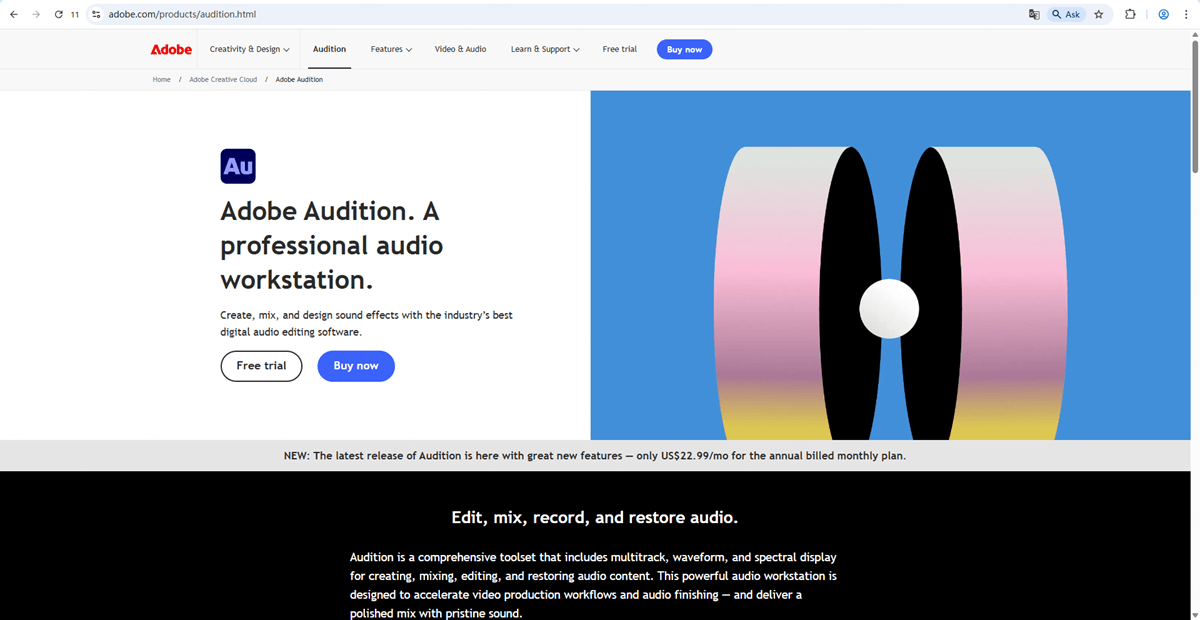
Spectral frequency display to paint out coughs and buzzes.
Diagnostics panel and Essential Sound for pro cleanup.
Remix auto-fit and tight Premiere Pro integration.
- Industry-standard restoration and spectral tools.
- Seamless Adobe Creative Cloud workflow.
- Subscription pricing adds up.
- Steep learning curve for beginners.
Rating: 4.6/5 — Best for audio professionals and post-production teams already in the Adobe ecosystem.
4 GarageBand — Best Free for Mac & iPhone
Pre-installed on every Mac and iPhone, GarageBand is the best audio editor for iphone and the easiest best iphone audio editor to find, since it is already on every Apple device. It is a full free DAW with 1,000+ instruments, a Drummer track, and Live Loops, plus a smooth upgrade path to Logic Pro. It shines at music creation and quick recordings, and for $0 it is hard to beat on Apple hardware. The limits are real, though: it is macOS/iOS only, offers weak audio-restoration tools, and has no Windows version.
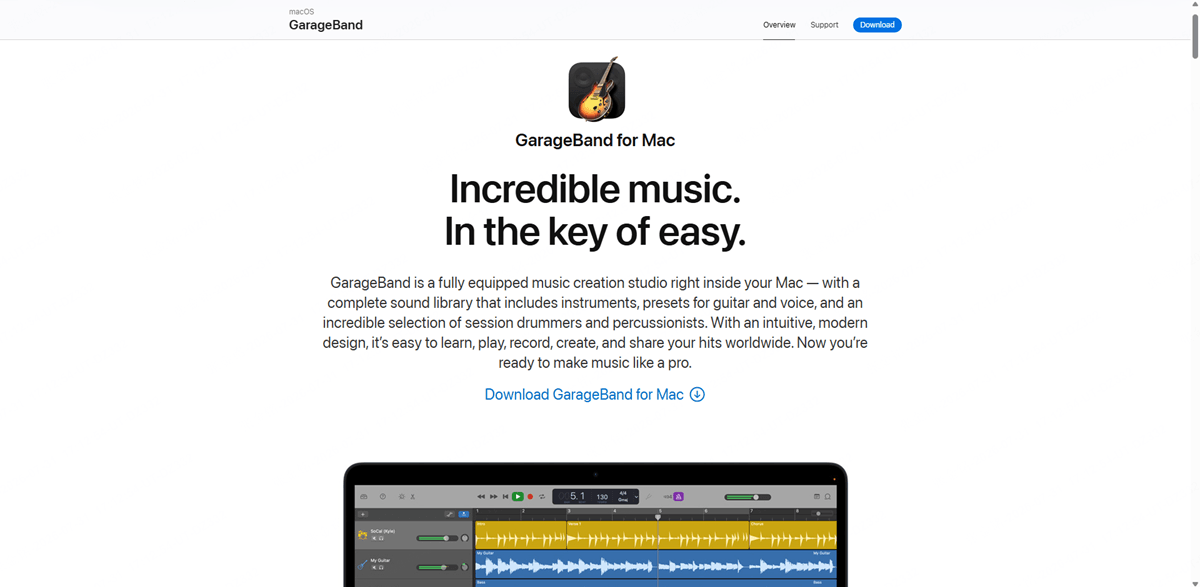
Free and pre-installed on every Mac and iPhone.
1,000+ instruments, Drummer track, and Live Loops.
Smooth upgrade path to Logic Pro.
- Free and already on your Apple device.
- Great instruments, loops, and Drummer.
- macOS/iOS only.
- Weak audio-restoration tools.
Rating: 4.5/5 — Best for Mac and iPhone users making music or quick recordings.
5 WavePad — Best Free, Cross-Platform Editor
WavePad is the best audio editor for android and the most flexible best audio editor for pc option in the free tier, with a full-featured audio editor for Windows, Mac, Android, and iPhone, and a free tier that never expires for non-commercial use. It covers the everyday editing jobs — cut, copy, trim, split, and join — plus batch processing to apply effects or convert thousands of files at once. Its spectral analysis (FFT) and AI-powered noise removal clean up hiss and room tone, and VST/DirectX plugin support opens up thousands more tools. It reads 50+ formats (MP3, WAV, FLAC, M4A, and more) and restores audio with click and pop removal. A typical job: drop a folder of voice memos, batch-normalize them, spectral-clean the worst one, and export clean MP3s. The catch: the free edition is non-commercial only, and the deepest features sit behind the paid Masters edition.
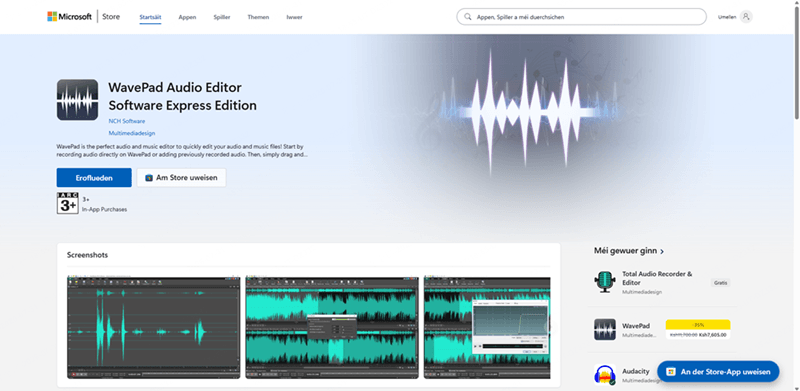
Free non-commercial tier across Windows, Mac, Android, iPhone.
Batch processing plus spectral (FFT) analysis.
AI noise removal, VST/DirectX plugins, 50+ formats.
- Free for non-commercial use; runs on Win/Mac/Android/iPhone.
- Batch processing + spectral analysis + AI noise removal.
- Wide format support and VST/DirectX plugins.
- Free tier is non-commercial only.
- Deepest features require the paid Masters edition.
Rating: 4.4/5 — Best for cross-platform users who want free, no-frills editing on desktop and mobile.
6 Descript — Best for Podcasts & Text-Based Editing
Descript is the best audio editor for podcasts and flips editing on its head: you edit audio by editing a transcript. Delete a word from the text and it disappears from the recording. Studio Sound uses regenerative AI to remove noise and enhance voices, and Remove Filler Words cuts every "um" and "uh" in one click. It pulls 4.6/5 on G2 and is built for spoken-word content — record, transcribe, edit, and publish a podcast without touching a timeline. Free plan available; paid tiers start around $16/month (billed annually) and unlock unlimited transcription and Studio Sound. The trade-off: it is not built for music or MIDI work.
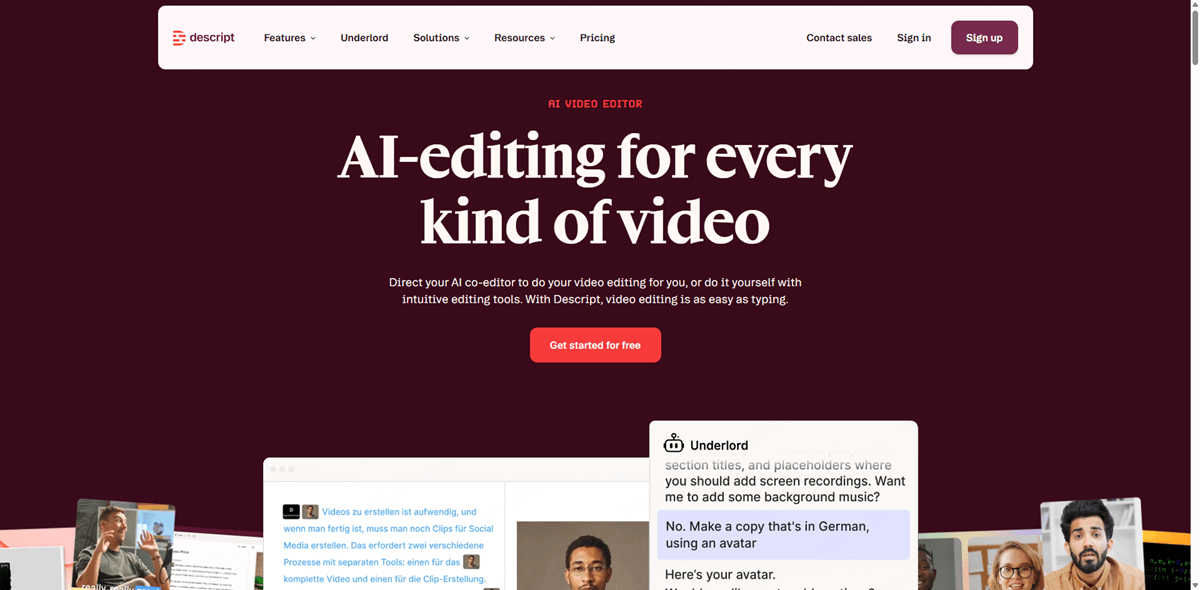
Transcript-based editing — edit text to edit audio.
Studio Sound AI and one-click filler-word removal.
4.6/5 on G2, built for spoken-word content.
- Transcript-based editing is genuinely fast.
- Studio Sound AI + filler-word removal.
- Not for music or MIDI work.
- Heavy AI use runs on a credit system.
Rating: 4.3/5 — Best for podcasters, video creators, and anyone editing spoken-word content.
7 AudioMass — Best Free Online Audio Editor
AudioMass is the best audio editor online free mp3 converter and a solid best online audio editor for quick, browser-based edits. It is a free, browser-based audio editor that runs on any device with a web browser — no install and no account required. It handles the core editing jobs (cut, trim, merge, and convert) and exports directly to MP3, with a built-in noise-reduction tool for cleaning up voice and room tone. True to its name, it centers on batch operations: convert a folder of clips, normalize levels, and download them in one pass. The trade-off is that it is online-only and lighter than desktop DAWs — there is no multitrack timeline or VST plugin support — but for quick, free, browser-based edits and MP3 conversion it is the fastest path.
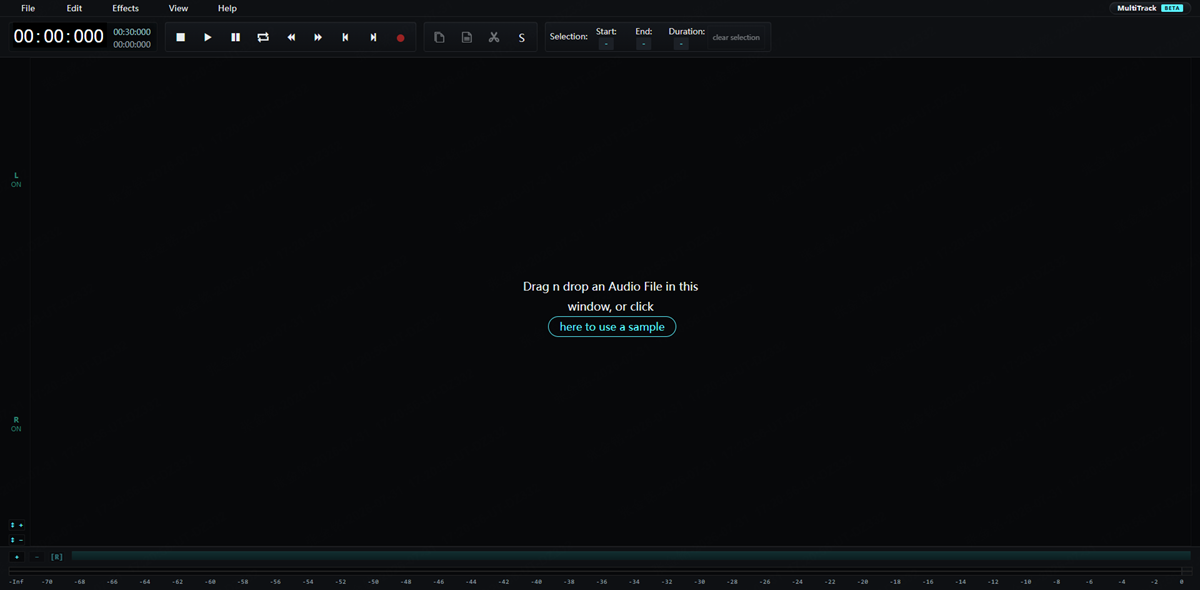
Free, browser-based, no install or account.
Cut, trim, merge, convert with direct MP3 export.
Built-in noise reduction and batch operations.
- Completely free and runs in any browser.
- Exports MP3 directly; no install or account.
- Requires an internet connection.
- No multitrack timeline or VST plugins.
Rating: 4.2/5 — Best for quick, free, browser-based editing and MP3 conversion on any device.
Part 4: FAQs about Best Audio Editors
1 What is the best free audio editor?
Audacity is the most-downloaded free audio editor (200M+ downloads, Windows/macOS/Linux), and GarageBand is the best free option for Mac and iPhone users. WavePad is the top free pick if you want cross-platform desktop and mobile editing.
2 Which audio editor is best for podcasts?
Descript leads for spoken-word podcasts thanks to transcript-based editing and Studio Sound AI. Audacity is the best free alternative, and Adobe Audition is the pro standard for published shows.
3 Is there a good audio editor for iPhone and Android?
Yes. GarageBand (iPhone/Mac) and WavePad (Android, iPhone, Windows, and Mac) are both free and genuinely capable. Descript also has mobile apps for editing on the go. For anyone asking which is the best audio editor app for a phone, the answer is GarageBand on iPhone and WavePad on Android.
4 What is the best online audio editor for free MP3?
AudioMass is the best free online editor — it runs in any browser, needs no install, and exports MP3 directly. TopMediai is the best choice if you also want to generate or clean audio with AI, and WavePad is the top free desktop-and-mobile pick that also exports MP3.
5 Can AI edit audio for me?
Yes. AI tools now handle the tedious parts: TopMediai can denoise a recording, separate vocals, and generate or remix music from a text prompt, while Descript removes filler words and levels volume automatically. They complement rather than replace traditional waveform editors.
6 Which audio editor works on both Windows and Mac?
Audacity, Adobe Audition, and Descript run on Windows and macOS; WavePad adds Android and iPhone; TopMediai works everywhere via the browser; and AudioMass runs in any browser with no install.
Conclusion The best audio editor in 2026 depends on the job — Audacity for free all-round editing, Adobe Audition for pro post-production, GarageBand for Apple users, WavePad for free cross-platform editing, Descript for podcasts, and AudioMass for free online browser editing. If you would rather generate, clean, and remix audio with AI instead of learning a DAW, TopMediai is the all-in-one starting point: try it free and upgrade only when you need more.
Secure Visit

