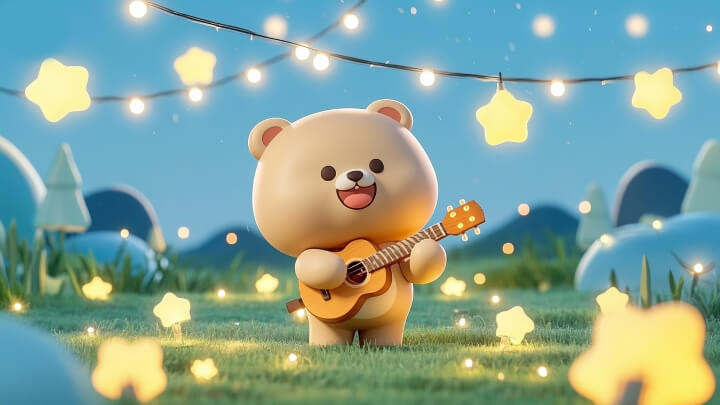
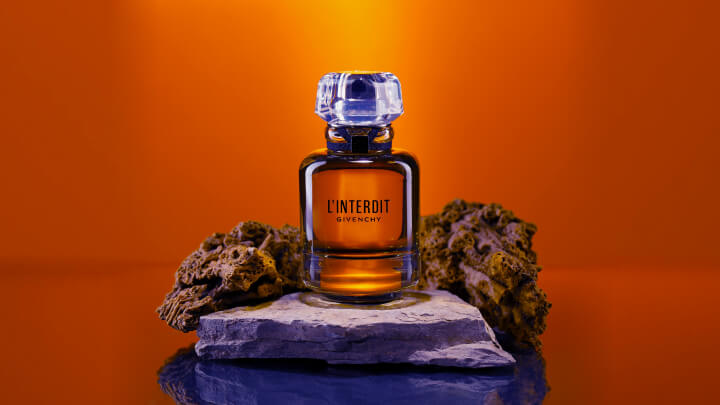
Create high-quality videos in seconds. Powered by PixVerse AI’s engine, both short clips and longer scenes can be generated rapidly—ideal for fast iteration, social content, and marketing workflows.
PixVerse.ai automatically generates background music, ambient sound effects, and AI voiceovers matched to your visuals—turning silent clips into complete, ready-to-share videos.
Describe video scene
bustling street filled with glowing papel picado banners, colorful marigold flowers, A skeleton musician is playing the guitar, children dancing, warm lantern light, cinematic wide-angle, style inspired by vibrant animated films like Coco.
Generate audio
Classical and cheerful guitar music, the laughter of children
TopMediaiPixverse AI
Describe video scene
Inanna, the goddess of fertility, love, and war in Sumerian and Akkadian mythology, was a beautiful and powerful woman, young and beautiful, with a graceful and strong body. Her captivating beauty reflected her strength and fertility. She wore luxurious and beautiful clothing, adorned with gold, silver, and precious stones. She wore a long robe that highlighted her beautiful body, often decorated with symbols of the gods and myths. She wore a distinctive crown made of horns, symbolizing her divine power and authority. She carried a scepter, symbolizing her authority and power. The staff was decorated with symbols of the gods and myths.The character turned his head slightly and smiled, his costume swayed slightly, and he waved the scepter in his hand
Generate audio
Classical mythological background music, the sound of magic wands being waved
TopMediaiPixverse AI
Describe video scene
Prism-lens creates ethereal color streaks and dreamlike blur effects across intimate close-up portrait, featuring refined subject with sophisticated allure against soft diffused lighting in premium studio environment.
PixVerse.ai supports text-to-video, image-to-video, and video continuation. Animate static images or bring full stories to life directly from simple descriptions, with no advanced editing skills required.
TopMediaiPixverse AI
Style & Scene Consistency by PixVerse AI
Maintain consistent colors, lighting, and visual style across frames and scene changes. With PixVerse AI, camera motion, character interactions, and backgrounds remain coherent for immersive storytelling.
TopMediaiPixverse AI
Realistic Motion & Effects Powered by PixVerse AI
PixVerse AI simulates natural physics with lifelike motion, dynamic shadows, and realistic motion blur. Camera pans, zooms, and rotations feel fluid, delivering videos that resemble real-world footage.
Access a wide range of cinematic, anime, cyberpunk, and fantasy styles through PixVerse.ai. Apply trending AI effects or ready-made templates to quickly create viral short videos, marketing content, or creative projects.
How to Generate Videos with Pixverse on TopMediai?
1. Select the PixVerse AI Model
Log in to the TopMediai dashboard and choose the PixVerse video generator to start creating.
2. Enter Your Prompt or Frames
Type a text prompt or upload your first and last frame images, then set style, duration, aspect ratio, and other options.
3. Generate with PixVerse AI
Click Generate and watch PixVerse AI transform your ideas into a cinematic-quality video.
PixVerse AI Video for Versatile Creations
Create videos with built-in voiceovers, sound effects, and ready-to-use creative styles. Explore cinematic, anime, and trending templates with PixVerse on TopMediai.
Other AI Video Generator vs TopMeidiai AI Video Generator
See how TopMediai AI video generator stacks up against other AI video generators in models, pricing, features, and usability — and why it might be the better choice for your next video.
Other AI Video Generator
Supports only single model, limited styles and effects
High cost per model, requires multi-subscriptions
Text or image input only
Limited to One Job at a Time
Infrequent Video Effect & Template Updates
No Support for Short Video Generation
Commercial Use Not Supported
TopMediai AI Video Generator
Multiple models (Sora 2, Veo 3, Nanobanana Pro and more) in one platform
All-in-one plan, access to multiple high-end models
Supports text/image to video, video to video, video extender, and more
PixVerse AI Video Generator is an AI-powered tool that creates videos from text, images, or clips. PixVerse focuses on smooth motion, creative styles, and built-in voiceover and sound effects to produce complete videos.
Q2: Is PixVerse AI free to use?
PixVerse AI offers free access with certain usage limits. Users can try PixVerse free to explore its video generation features before upgrading to paid plans.
Q3: Does PixVerse AI support voiceover and sound effects?
Yes. PixVerse AI automatically generates background music, ambient sound effects, and AI voiceovers, making videos ready to share without extra audio editing.
Q4: What styles does PixVerse support?
PixVerse supports multiple creative styles, including cinematic, anime, cyberpunk, fantasy, and trending visual effects. Ready-made templates help users create videos faster.
Q5: Is PixVerse AI available on TopMediai?
Yes. PixVerse AI video generator is available on TopMediai, allowing users to access PixVerse alongside other popular AI video models in one platform.
Turn Ideas into Videos with PixVerse AI on TopMediai!


 Video Generation Types
 Supported AI Models
 AI Video Effects



 AI Video Tools
 AI Music Tools
 AI Voiceover Tools
 More Features
 API for Music-related Services
 API for Voiceover-related Services

 TopMediai's API Documentation:

 Help&Support
 Popular Tips


 Join our Discord!