


 Video Generation Types
 Supported AI Models
 AI Video Effects



 AI Video Tools
 AI Music Tools
 AI Voiceover Tools
 More Features
 API for Music-related Services
 API for Voiceover-related Services

 TopMediai's API Documentation:

 Help&Support
 Popular Tips


 Join our Discord!

Vidu AI Video Generator
Vidu AI, built by Shengshu Tech and Tsinghua, powers Vidu Studio with cinematic quality and fluid motion. Try Vidu instantly on TopMediai online now!
Try Vidu Now


Reverse the order
Supports JPG/JPEG/PNG,up to 10 MB, Minimum width/height is 300px
Supports JPG/JPEG/PNG,up to 10 MB, Minimum width/height is 300px
Hints





- Beach
- Speech
- Rap
- Thunderstorm
- Fireworks
- Alien Forest

Vidu AI Models at a Glance
Compare all Vidu AI versions at a glance and explore their improvements in quality, speed, and style. Try Vidu AI directly on TopMediai AI video generator and start creating your videos today.
| Version | Vidu 1.0 | Vidu 1.5 |
Vidu 2.0
(Only Image to Video) |
|---|---|---|---|
| Multi-Subject | Basic | Improved | Enhanced |
| Style & Subject Consistency |
Basic | Improved | Enhanced |
| Frame Control | Basic | Smoother | Smooth & Customizable |
| Generation Speed | Standard | Fast | <10 sec per clip |
| Cost Efficiency | Standard | Slightly reduced | As low as $0.04/sec |
| Multi-Scene Support | Partial | Full Support |
Key Features of Vidu AI Video Generator
Discover how Vidu empower creators with advanced tools—from cinematic controls to anime-quality animation—making professional video generation effortless.

Lock key frames for smooth, consistent, and precise video transitions.

Create high-quality anime videos with fluid, natural character motion.

Sync voices and music with motion, plus add basic audio layers.

Use zoom, pan, and tilt for dynamic, cinematic camera movements.

Upload reference images to match style, pacing, and transitions.

Generate natural 360° views with multiple subject perspectives.

Vidu AI Start/End Frame Control for Precision
Lock first and last frames to preserve poses, branded visuals, and scene accuracy. Vidu Studio ensures smoother edits, consistent storytelling, and reliable video flow.
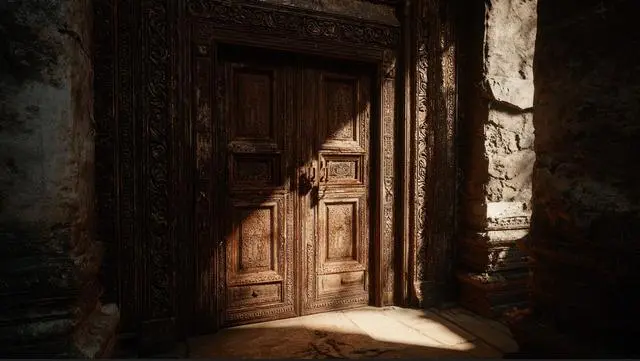


Vidu AI Smooth Anime-Style Animation Quality
Delivers high-quality anime-style videos with lifelike character motion and fluid action. Powered by vidu.ai, it’s perfect for creators seeking vivid, polished animation.
Audio Alignment & Smart Sound Effects in Vidu Studio
Enhance clips with better voice and music syncing. Vidu AI supports layered sound cues and subtle effects, helping social posts and ads stand out with engaging audio design.
Cinematography Control for Creativity with Vidu AI
Vidu.ai lets users pan, tilt, and zoom within generated footage. Gives filmmakers advanced control, achieving cinematic shots without losing consistency or detail.


Reference-to-Video Creation by Vidu
Upload reference images to Vidu Studio AI and generate videos with matching style, pacing, and visual tone. Maintain consistent aesthetics across projects.
How to Generate Videos with Vidu on TopMediai?
Log in to the TopMediai dashboard and select the Vidu AI video generator model.

Enter a text prompt or upload the first and last frame images, then set your preferred style, duration, ratio, and other options.

Click generate and watch Vidu AI turn your idea into a polished video.


Unlock Vidu AI’s Cinematic Power
Create Smooth Motion and Stunning Videos with Vidu AI—plus access Veo 3 and other top AI video models, all in a single TopMediai plan.
Try Vidu Now
Other AI Video Generator vs TopMeidiai AI Video Generator
See how TopMediai AI video generator stacks up against other AI video generators in speed, pricing, features, and usability — and why it might be the better choice for your next video.
-
Supports only single model, limited styles and effects
-
High cost per model, requires multi-subscriptions
-
Text or image input only
-
Limited to One Job at a Time
-
Infrequent Video Effect & Template Updates
-
No Support for Short Video Generation
-
Commercial Use Not Supported
-
Multiple models (Sora 2, Veo 3, Nanobanana Pro and more) in one platform
-
All-in-one plan, access to multiple high-end models
-
Supports text/image to video, video to video, video extender, and more
-
Supports 5 Concurrent Video Jobs
-
Weekly Updates with Fresh Video Effects
-
Flexible Short Video Generation Support (10–70s)
-
Commercial Use Licensed
Explore More AI Video Models in TopMediai


FAQs About Vidu AI Video Generator
-
Q1: What types of inputs does Vidu AI support?
Vidu AI supports text-to-video, image-to-video, and reference-to-video, allowing you to create dynamic videos from prompts, images, or sample clips. On TopMediai AI Video Generator, you can use Vidu’s text-to-video and image-to-video features seamlessly, and plus our image generation tools let you smoothly integrate visuals into your video workflow.
-
Q2: What is Start/End Frame Control in Vidu AI?
This feature lets you lock poses, branded elements, or key visuals on the first and last frames, ensuring smooth edits and consistent storytelling.
-
Q3: Is Vidu AI easy to use across devices?
Yes. Vidu AI runs entirely online with no downloads required and works seamlessly on both desktop and mobile browsers. On TopMediai, you can access Vidu and other integrated video models from any device for a smooth, all-in-one experience.
-
Q4: What industries and use cases is Vidu AI best for?
Vidu AI is widely used for social media videos, anime-style animations, filmmaking, advertising, and marketing, making content creation faster and more efficient.
-
Q5: Does Vidu AI support audio synchronization?
Yes. Vidu AI lets you align music, voiceovers, and sound effects with video motion for more engaging clips. For even better results, you can use TopMediai AI Music Generator to create custom audio tracks perfectly tailored to your videos.
-
Q6: How fast is video generation on TopMediai with Vidu?
With Vidu 2.0, most clips (4–16s) are ready in under 10 seconds, offering both speed and high-quality output. TopMediai further optimizes rendering speed and provides a real-time progress bar for smooth tracking.
-
Q7: What video quality does Vidu AI on TopMediai deliver?
Vidu AI on TopMediai produces videos up to 1080p HD with cinematic-level detail, smooth motion, and seamless transitions. Each clip can be up to 8 seconds long, ideal for social media, short films, and marketing content.
