

 Up to 76% off with code




 Join our Discord!
GPT-Images-2.5 Generator Free Online for AI Image Creation
Turn a clear text prompt or reference image into a polished visual with TopMediai's GPT-Image-2.5 image generator. Create, edit, and refine images online in one simple workflow.


Create with GPT-Image-2.5 Anytime, Anywhere
Turn ideas into images wherever inspiration strikes. Start with a prompt or upload a reference image, then refine the result as your concept develops.

GPT-Image-2.5 for Detailed Creative Work
Use GPT-Image-2.5 for detailed visual direction, image editing, poster concepts, product scenes, portraits, and everyday creative exploration in one platform.


GPT-Image-2.5 follows natural-language art direction across subject, composition, lighting, materials, and mood. It also supports guided edits that help preserve the important parts of an existing image while refining selected details.
Try It NowA high-speed, high-quality AI image model ideal for bulk generation and rapid iteration. With high-resolution output and precise prompt understanding, it's perfect for social media assets, ad creatives, and ideation.
Try It NowThe pro-tier model emphasizing structural accuracy and photorealism. Delivers superior material detail, lighting, and overall consistency — ideal for high-quality AI imaging, commercial design, and scenarios requiring fine-grained control.
Try It NowA model with advanced semantic understanding that interprets complex prompts with precision. Ideal for creative exploration, concept visualization, and cross-style blending — giving your AI image generation greater flexibility.
Try It NowKnown for stable output and photorealistic style, this model renders nuanced lighting and material effects. Perfect for product shots, portraits, and e-commerce assets — making your AI-generated images look more real and commercially viable.
Try It NowA model focused on design sensibility and structural control — excelling at layout, poster design, and informational visuals. Supports multi-image reference and style transfer, balancing precision, cost, and efficiency.
Try It NowA high-performance, low-latency AI image model built on an optimized architecture for rapid generation. Delivers high-quality images even in resource-constrained environments — ideal for real-time or large-scale AI image creation.
Try It Now
GPT-Image-2.5 follows natural-language art direction across subject, composition, lighting, materials, and mood. It also supports guided edits that help preserve the important parts of an existing image while refining selected details.

A high-speed, high-quality AI image model ideal for bulk generation and rapid iteration. With high-resolution output and precise prompt understanding, it's perfect for social media assets, ad creatives, and ideation.

The pro-tier model emphasizing structural accuracy and photorealism. Delivers superior material detail, lighting, and overall consistency — ideal for high-quality AI imaging, commercial design, and scenarios requiring fine-grained control.

A model with advanced semantic understanding that interprets complex prompts with precision. Ideal for creative exploration, concept visualization, and cross-style blending — giving your AI image generation greater flexibility.

Known for stable output and photorealistic style, this model renders nuanced lighting and material effects. Perfect for product shots, portraits, and e-commerce assets — making your AI-generated images look more real and commercially viable.

A model focused on design sensibility and structural control — excelling at layout, poster design, and informational visuals. Supports multi-image reference and style transfer, balancing precision, cost, and efficiency.

A high-performance, low-latency AI image model built on an optimized architecture for rapid generation. Delivers high-quality images even in resource-constrained environments — ideal for real-time or large-scale AI image creation.
GPT-Image-2.5 Image Examples
Explore GPT-Image-2.5 examples across product photography, editorial portraits, poster design, character concepts, cinematic scenes, and commercial visuals.

Prompt
A young woman sits on the trunk of a vintage convertible, legs dangling casually outside. She wears a brown leather jacket and grayish-green boots. The backdrop is a winding coastal mountain road with majestic peaks and a blue sky with white clouds. Golden hour warm light, cinematic composition, photorealistic style.

Prompt
A wide-body modified race car in black and yellow livery parked in a damp underground garage, covered in racing decals and sponsor logos. Behind it stands a massive glowing yellow signboard. The wet ground produces clear mirror reflections; warm yellow light from the sign contrasts with surrounding cool blue tones. Cyberpunk-style automotive photography, close to a video game promotional visual.

Prompt
A young woman in a wetsuit takes a selfie underwater alongside a gentle whale shark in a crystal-blue ocean. Sunlight refracts from the surface creating god rays, with bubbles and coral reefs filling the frame. Lively and adventurous style, GoPro action camera perspective.
Prompt
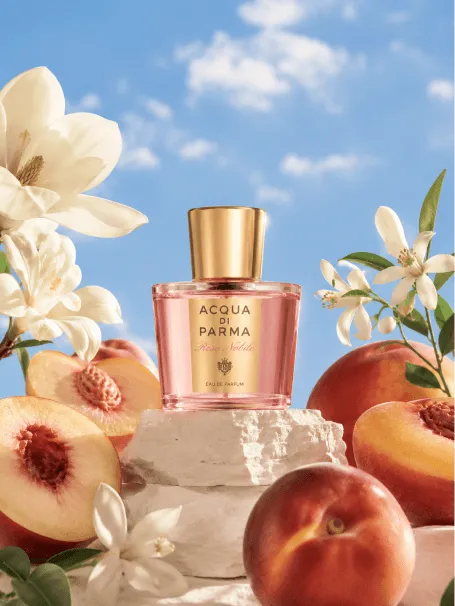
An elegant Italian perfume bottle centered in the frame, surrounded by fresh peaches and white daisies against a soft sky-blue background. Gentle side lighting creates a premium feel, suitable for a beauty magazine cover. Commercial product photography style.

Prompt
A cute pink London double-decker bus driving down a street, with an oversized red heart sculpture on the roof and "LOVE IS ALL AROUND" written on the building facade. The overall scene is filled with a romantic and sweet atmosphere, Valentine's Day themed, dreamy film-camera style.

Prompt
A tabby cat takes a first-person selfie toward the camera with one front paw raised as if holding a phone. Three large-eyed gray-skinned little aliens peek over a sand dune behind it, curiously looking forward as if photobombing a group picture. Orange-red desert canyon background, swirling sand and sunset warm light, humorous surrealist style.

Prompt
An extreme close-up of the eye of a giant deep-sea creature, with a pupil radiating brilliant amber-gold light, featuring a vertical slit and flame-like iris textures. Far below in the distance, a tiny diver swims in the water, creating a striking size contrast with the enormous eye. Light streams from the water surface in Tyndall-effect rays, a mysterious and awe-inspiring surreal scene.

Prompt
A young wizard in a deep purple robe stands in a mysterious ancient forest, holding a paper lantern emanating warm golden light. The surroundings feature mist-shrouded giant trees and glowing mushrooms. A rich magical atmosphere, fantasy illustration style reminiscent of the world of Avatar.

Prompt
A young girl with short curly platinum-blonde bangs faces the camera in a selfie angle, arm extended forward. She wears a rainbow sequin off-shoulder top with lace sleeves and bow decorations, layered choker necklaces and hair accessories, with elaborate Y2K-inspired makeup. Background is a lively Harajuku street in Japan, sunny daytime, trendy street-snap atmosphere.
What Can TopMediai GPT-Image-2.5 Image Generator Do for You?
Illustration & Creative Design
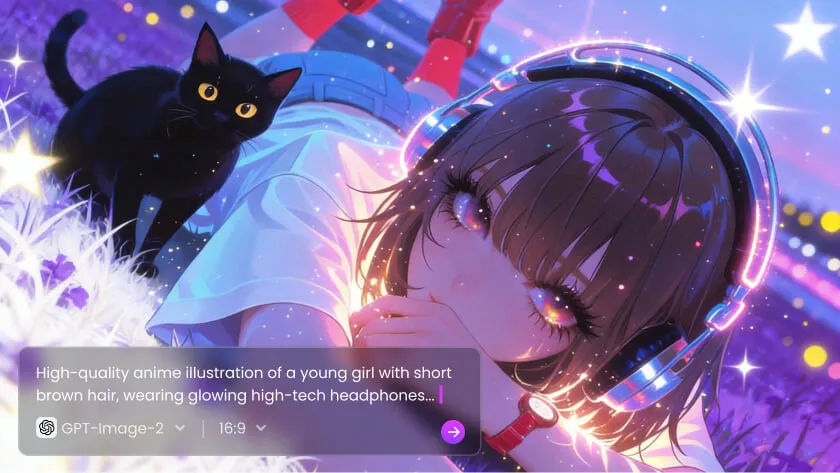
Use GPT-Image-2.5 to turn a visual brief into illustrations, character designs, scene concepts, and original artwork without needing advanced drawing skills.
Social Media Content Creation
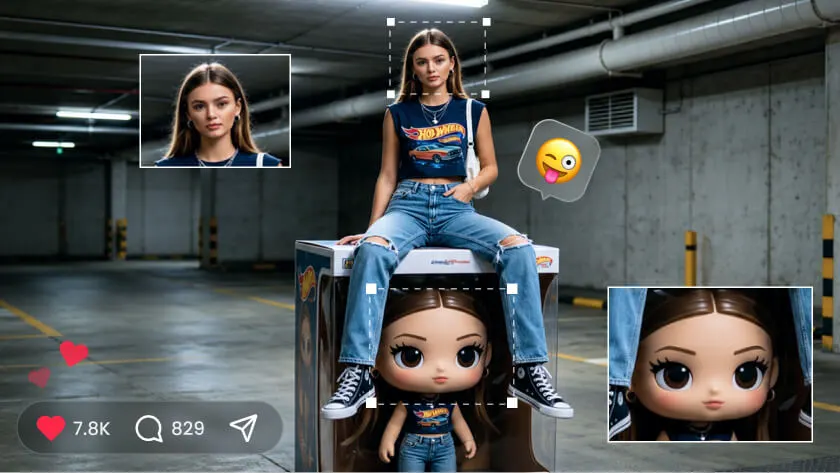
Create scroll-stopping posts, campaign visuals, thumbnails, and social assets for different platforms—all from a simple idea or prompt.
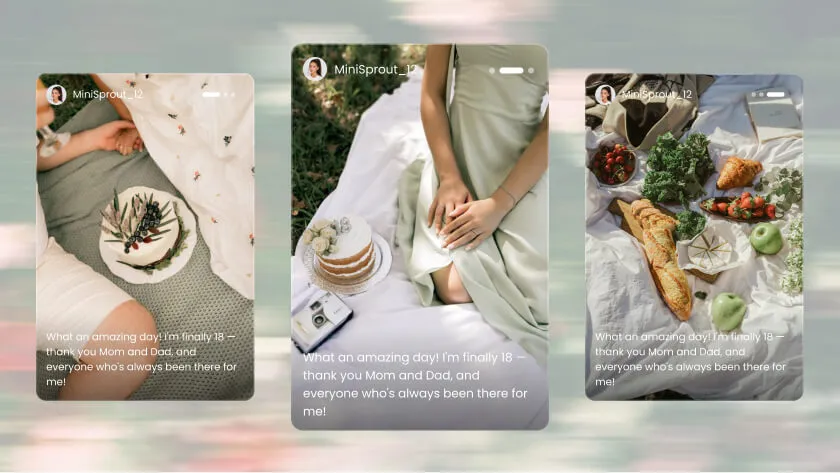
Creator and Personal Branding
Build a recognizable visual identity with portraits, profile images, post assets, and themed visuals that share a clear style across your content.
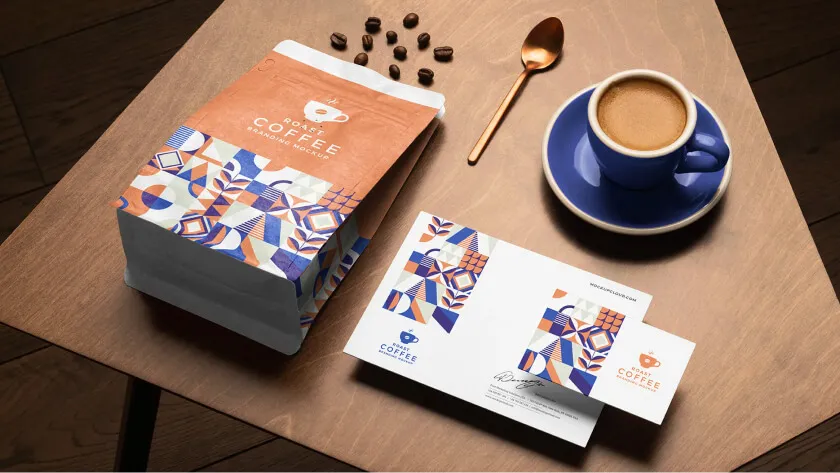
Blog and Content Visuals
Create original hero images, article illustrations, and supporting visuals that explain the topic clearly and give each piece of content a distinctive visual direction.
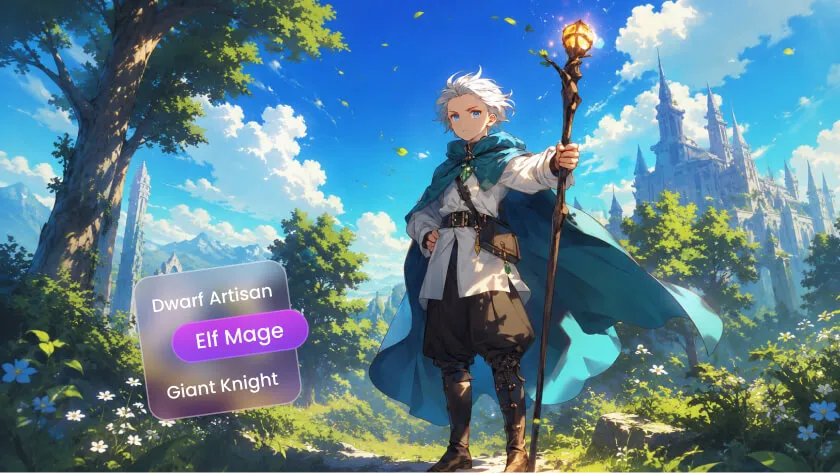
Character and World Design
AI image generation is perfectly suited for character design and world-building. Quickly produce characters and scenes in diverse styles, helping developers and creators work more efficiently through early design and visual exploration.
How to Generate High-Quality Images with TopMediai GPT-Image-2.5 Image Generator?
Follow three simple steps to move from a visual idea to a downloadable image, then refine the result with focused instructions.
Choose GPT-Image-2.5 when you need detailed art direction or guided editing, and compare other available models when a different visual style suits the project.
Describe the subject, setting, composition, lighting, materials, mood, and constraints. Specific natural-language direction gives the model a clearer creative brief.
Generate the first version, review the composition, and make one focused adjustment at a time before downloading the result.

Pick the AI image model that best fits your needs. Each model has its own distinct style, detail level, and output characteristics — choosing the right one helps you realize your vision more precisely.

Describe the image you want in text. The platform supports multilingual input with a built-in auto-translation feature, so even if the model primarily uses English, your intent will be accurately understood.

Click "Generate" and the system will produce your image within seconds. Once generated, you can download it immediately or use the "Re-edit" function to fine-tune details and refine the result.
Upload a Reference Image Upload an existing image as the starting point. The AI will use it as the generation base for your new creation.
Describe Your Edit Direction Enter what you want to adjust — style, color, scene, or character details. The more specific, the closer the result to your vision.
Click "Generate" and the AI produces a new image based on your reference and prompt. Download directly, or use "Re-edit" for further adjustments.

Upload an existing image as the generation base. The AI will use it as a reference and starting point for the new creation.

Enter the direction you want to adjust or change — such as style, color, scene, or character details. The more specific your description, the closer the result to your vision.

Click "Generate" and the AI will create a new image based on your reference and prompt. Once complete, download it directly or use the "Re-edit" function for further detail adjustments and style refinement.
Why Choose TopMediai GPT-Image-2.5 Image Generator?
TopMediai keeps prompt-based image creation and refinement in one practical workflow, from the first concept to the final visual asset.

Fast Generation for Faster Iteration
Generate and compare visual directions quickly when you are developing campaign assets, social content, or early design concepts.

Guided Editing and Detail Refinement
Refine a selected detail without discarding the parts of the image that already work, making each iteration more intentional.

Flexible Image Workflows
Move between image models and workflows when you need a different balance of realism, illustration, composition, or creative experimentation.

High-Quality Output for Real Projects
Create detail-rich visuals for social media, advertising, content design, and other projects, while reviewing the applicable usage terms before publishing.

Simple Enough for Beginners
No advanced design software is required. Start with a clear description, review the result, and improve it with plain-language instructions.

One Platform for a Complete Creative Workflow
Start with a GPT-Image-2.5 visual, then extend the idea into video, music, voiceover, or other content formats within TopMediai.
What Users Say About TopMediai GPT-Image-2.5 Image Generator
I used to spend so much time hunting for stock images or drawing things from scratch. Now I just type my idea and the image is done — the difference in speed is huge. And it doesn't stop at images: I can extend them into videos and add voiceover, turning them into ready-to-publish content. It's incredibly useful for anyone doing marketing.

I don't have a design background at all, but with this AI image tool I can produce results that look professionally designed. Especially when making product images or promotional materials — I can quickly generate multiple styles to compare. My overall efficiency has improved a lot.

I just wanted to try AI image generation out of curiosity, and now I can't stop. Just throw a few ideas in and images come out — sometimes I make several in different styles just to compare. It's genuinely satisfying.

I use it a lot for covers and assets. The best thing is being able to keep tweaking the prompt and generating different versions to test. Compared to traditional design workflows, this approach is far more flexible and much better suited to creators who need to ship content fast.

I usually start by generating a hero visual with AI, then extend it into different content formats — videos, social assets, simple ads. Locking in the direction early makes everything downstream more efficient, and I don't need to jump between tools.

A lot of ideas used to just stay in my head. Now I can actually visualize them with AI, and the results look genuinely different from what I imagined — in a good way. The generation speed is fast too, so inspiration never gets interrupted.


Start with GPT-Image-2.5 — Build a Complete Content Workflow
AI image generation is only the starting point — continue developing the idea across video, music, voice, and speech tools.


GPT-Image-2.5 Image Generator FAQ
-
1. What is the GPT-Image-2.5 image generator?
GPT-Image-2.5 uses natural-language instructions to create a new image or guide edits to an uploaded image. You can describe the subject, scene, style, composition, and details you want to see.
-
2. How do I write a strong GPT-Image-2.5 prompt?
Try including "subject + style + detail + lighting" elements in your description — such as the character, scene, color, and mood. The more specific your prompt, the better the AI-generated result. Adding keywords like "photorealistic style" or "cinematic lighting" helps the AI understand your intent more precisely.
-
3. What can I use GPT-Image-2.5 for?
TopMediai supports a wide range of image models, including GPT-Image-2.5 and other available options, allowing users to choose the most suitable model for their specific needs.
-
4. Can GPT-Image-2.5 edit an existing image?
Yes. TopMediai GPT-Image-2.5 Image Generator supports re-generating with an adjusted prompt to optimize results. Based on the first output, you can modify the description — adding detail, changing the style, and so on — to gradually refine the image toward your ideal. This iterative approach is one of the key advantages of AI art creation.
-
5. Will GPT-Image-2.5 create the same image every time?
No. Even with the same description, AI-generated images typically come out differently each time. This is because the generation process involves inherent randomness, so results will vary slightly with each run. This variability brings more diversity and possibility to the creative process — and often sparks unexpected inspiration.
-
6. Can I use GPT-Image-2.5 images for commercial purposes?
TopMediai GPT-Image-2.5 Image Generator supports commercial use, including social media content, advertising materials, and e-commerce imagery. However, we recommend reviewing the platform's terms of use before publishing to ensure compliance with the relevant licensing requirements.
-
7. What are the limits of a free GPT-Image-2.5 generator?
Free AI image generation tools typically come with some limitations, such as a cap on the number of generations, lower image resolution, or restricted access to certain features. That said, for most everyday users, the free tier is more than sufficient for basic AI art creation needs. You can consider upgrading if you need higher quality or higher-volume output.
-
8. What else can I create after generating an image?
In addition to AI image generation, TopMediai provides a full suite of AI content creation tools including AI video, AI music, and AI voice features — allowing you to extend your images into complete multimedia content.

Try the GPT-Image-2.5 Image Generator Free Online
Create images in any style effortlessly with TopMediai GPT-Image-2.5 Image Generator — and supercharge your creative workflow.
