


 Video Generation Types
 Supported AI Models
 AI Video Effects



 AI Video Tools
 AI Music Tools
 AI Voiceover Tools
 More Features
 API for Music-related Services
 API for Voiceover-related Services

 TopMediai's API Documentation:

 Help&Support
 Popular Tips


 Join our Discord!


The combination of engaging content and unique narrative style, makes Chills got so many followers and so much fame. Now, with the development of ai voice technology, we can generate Chills ai voice easily and quickly. Do you want to create your YouTube video with Chills ai voice generator?
In this article, we will introduce how to generate Chills ai voice and how to use Chills ai voice generator.

Chills AI Voice
Click to Try for Free
Part 1: Who is Chills?
Chills, also known as Dylan, is a popular YouTuber known for creating content related to mysteries, paranormal events, and strange occurrences. He initially gained prominence through his channel "Top15s" and later rebranded to "Chills."

Part 2: How to Generate Chills AI Voice?
1 TopMediai Text to Speech
TopMediai Text to Speech allows users to explore expressive, character-inspired AI voices with ease. Create dynamic and engaging audio from your text, perfect for enhancing videos, podcasts, or playful content.
With flexible customization and a variety of voice styles, you can turn your scripts into captivating, animation- or game-style voices, offering entertaining and immersive experiences for your audience.

How to Generate AI Voice?
Step 1: Go to TopMediai Text to Speech page,or just click the button under.
Try it Free
Secure Visit
Step 2: Enter the text in the provided text box or simply paste your script directly.
Step 3: Choose ai voice from 3200+ options.
Step 4: Select the "Convert" option to preview the changes in real time.
Step 5: Finally, you can download it to make your own YouTube video.
Explore a diverse range of over 3200 voices across 70+ languages, providing an extensive array of options.
Benefit from Multiplayer Dubbing support, allowing you to apply multiple voices to a single paragraph and elevate your creative narration.
Leverage cutting-edge AI technology to tailor speech speed and pitch, granting you precise control over every aspect.
Immerse yourself in a realm of lifelike voices that match human quality, delivering exceptional sound and realism.
Enhance your projects with our outstanding AI-generated singing voices, offering a professional-grade tool for crafting authentic vocals.
Voice cloning is available for cloning your own voice.
Share with Ease.
User friendly platform.
Premium Audio.
High-quality.
Natural tones
Fast generation.
Voices and services regular updates.
The desktop version is not available.
2 Voicify.ai
Voicify.ai is a robust online Chills ai voice generator, offering a seamless solution for creating voiceovers. It produces professional and lifelike voices for your videos, podcasts, and more. You can choose from a diverse array of voices spanning different age groups and genders, Chills ai voice included, ensuring a perfect match for your specific needs.

With a sounds library of 3000+ voice model.
Break free from robotic TTS voices that immerse your audience in realistic and engaging narration.
Providing quick and efficient text to speech conversion, reduces your production time and voiceover expenses.
Natural sounding voices.
Regular platform updates.
Safe and secue data handing.
Access to some of the premium voices comes only through paid versions of Voicify.ai.
Have to sign up before you use it.
3 101soundboards.com
101soundboards.com is a text to speech website, also a good Chills ai voice generator. You can explore millions of sounds, search or browse by category your favorite sounds. And upload your own to create your own soundboard. You can read text aloud with text to speech voice of Chills to spice up your content creation.

Over 70000+ audio sound MP3 clips to play and download.
A vast collection of voices freely available.
Easy to use.
Abundant sounds resources included.
Too much ads in the page.
Without a clear guide in the site.
Part 3: How to Clone Chills AI Voice?
1 TopMediai Voice Cloning
If you isn't get the Chills ai voice achieved through the previous three methods, consider sound cloning. The concept behind voice cloning involves automatically generating a model by analyzing the audio's timbre that you upload. TopMediai introduces a cutting-edge voice cloning feature. By uploading audio files of your unique voice, you can create your personalized cloned AI voice, with control over emotions and other parameters.
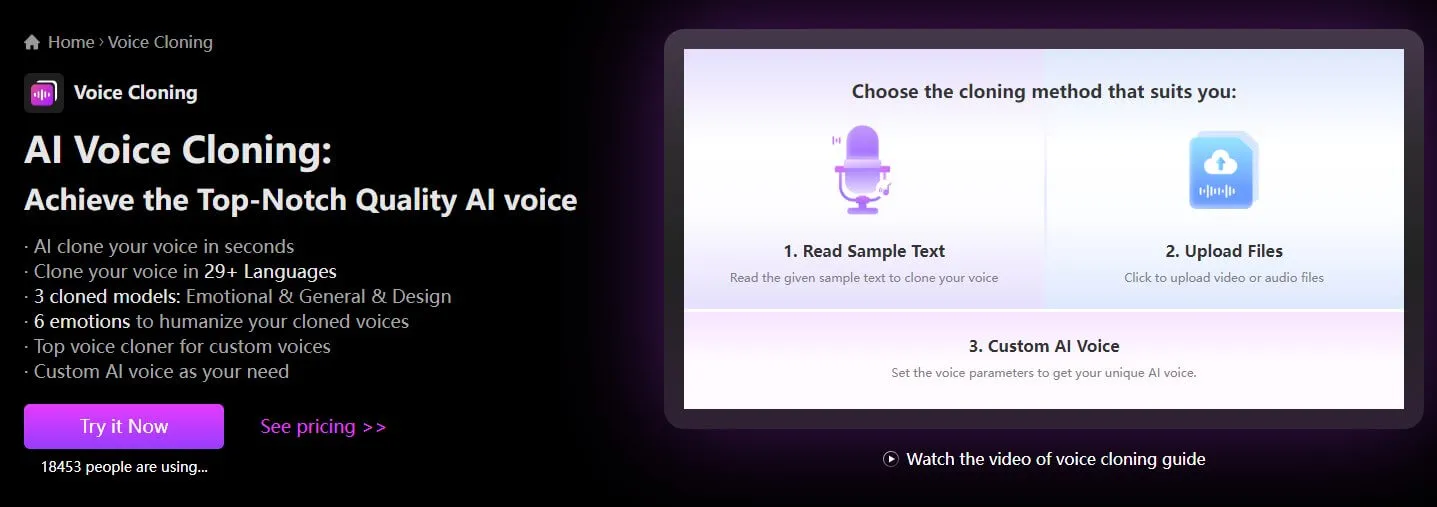
How to Clone AI Voice?
Step 1: Head to the TopMediai AI Voice Cloning feature.
Try it Now
Secure Visit
Step 2: Select a cloning mode—either upload an audio file or record your voice online, following the provided guide.
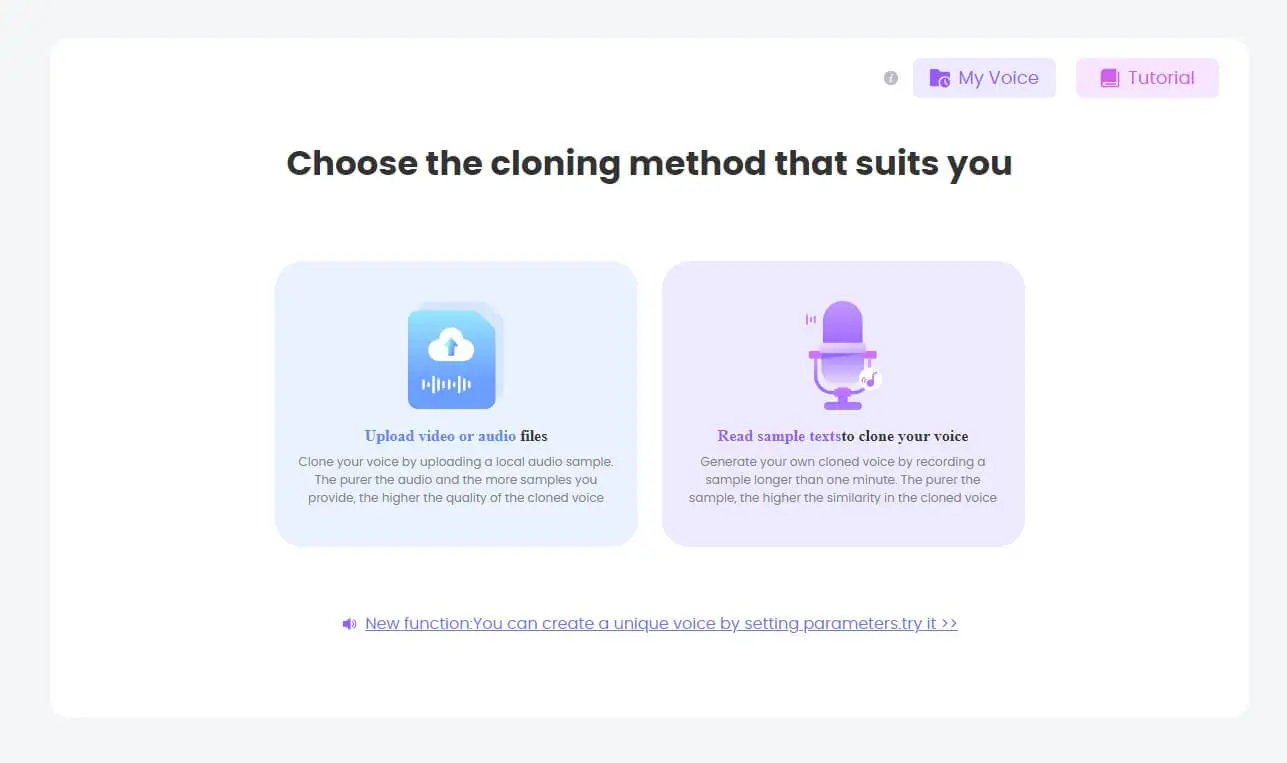
Step 3: Click "Start cloning".
Step 4: View your cloned voice under "My voice."
Step 5: Utilize the clonedAI Voice to enhance and create your content.
Unlock the realm of Voice Cloning through two convenient methods: Upload Audio Files or Record Online.
Immerse yourself in the efficiency of lightning-fast voice analysis and cloning, ensuring a seamless and swift experience.
Explore the versatility of cloned voices available in over 28 languages, broadening your creative horizons.
Benefit from secure permanent storage for your cloned voices, providing a reliable and accessible repository for your creative endeavors.
Easy to use.
No ads.
User-Friendly Interface.
Provide online customer service.
It is an online platform, so a network connection is required.
Part 4: FAQs about Chills AI Voice
1 What makes Chills got so much fame?
There are several reasons for Chills becoming fame. Compelling Content, Distinctive Narration Style, Engaging Storytelling, Rebranding and Relevance, Consistent Uploads, Appealing Thumbnails and Titles, Community Engagement, etc.
2 What can I do with Chills ai voice?
With Chills ai voice, you can unleash creativity and add a unique touch to various types of content. Voiceovers for Creepy Stories, Narration for Videos, Podcast Production, Gaming Content, Creative Soundscapes, etc.
Conclusion
Embrace unique, character-inspired voices to elevate your content and engage your audience. Whether you’re creating for YouTube, TikTok, podcasts, or other creative projects, animation- and game-style AI voices add personality and excitement to your work.
Explore the possibilities of expressive AI voices and bring your projects to life—start your creative journey today!
Try AI Voice
Secure Visit

