

 Up to 76% off with code


 Join our Discord!

 Text to Speech


A DJ voice maker turns your DJ name or script into spoken audio for drops, intros, and announcements. The first choice is the output: a voice-only tag you can layer over different tracks, or a complete intro with music. This article compares TopMediai, Speechify, and ElevenLabs for DJ-style speech, with voice samples and steps for creating your own. If you want a musical name intro instead, Part 2 explains the separate music-generation workflow. Start with a short line such as "This is DJ Alex, live in the mix!" and check the pronunciation before exporting.

Secure Visit
- Part 1: Compare 3 DJ Voice Generators for Name Drops
- Part 2: Create a DJ Name Intro with AI Music
- Part 3: FAQs about DJ Voice Makers
Part 1: Compare 3 DJ Voice Generators for Name Drops
1 TopMediai - DJ Voice Maker for Custom Name Drops
TopMediai text to speech converts your script into speech for DJ name drops, radio intros, and show transitions. Type a short line, choose a voice, and preview the result. For a voice-only drop, generate the spoken line first, then place it over your mix in your audio editor.
The current TTS library lists 3200+ voices across 190+ languages and accents. Start with the trial allowance to audition a voice, then check the available export options and plan terms before using the result. Voice style and available controls vary by selection.
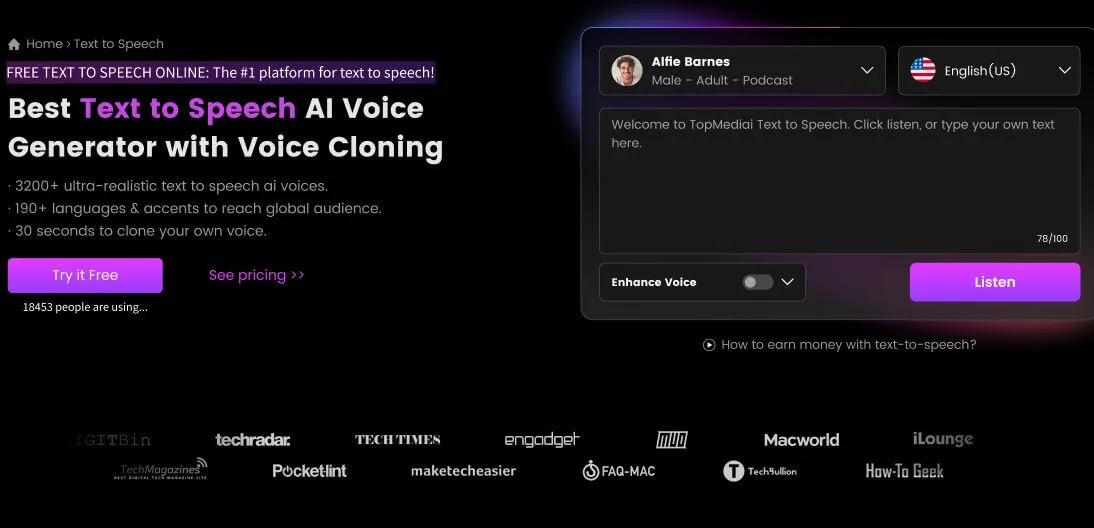
Listen to DJ voice sample generated by TopMediai:
Gender-neutral DJ voice sample: audition this option for a balanced spoken tag or a more relaxed introduction.
Female DJ voice sample: compare its delivery with your script and the mood of your mix.
Male DJ voice sample: listen for how clearly the name comes through before choosing a voice for your drop. For a lower register, the guide to choosing a deep male voice for text to speech compares voice options and explains the setup steps.
3200+ AI voices for different speaking styles.
Preview voices before choosing one for your DJ name.
Adjust speed, pitch, volume, and pauses where supported.
Generate alternative takes from the same short script.
Text-to-speech generation; voice cloning and other audio tools use separate workflows.
190+ languages and accents.
Trial credits for testing; usage limits depend on the current allowance.
Browser-based generation without installing a desktop editor.
Export spoken audio as MP3 or WAV for further editing.
Commercial use is subject to the applicable plan terms and responsible use.
How to use TopMediai Text to Speech - DJ voice maker:
Step 1 Open the TopMediai Text to Speech dashboard.
Secure Visit
Step 2 Choose a voice from the library and preview its delivery. For high-energy crowd calls, the guide to shouting text to speech explains how to choose an expressive voice and generate the line.
Voice selection Listen before generating. A smooth announcer voice and a forceful hype voice can produce very different results from the same words. For a retro station ID, the classic radio host voice examples include Daelin, Knightley, and Sean, with samples for comparing their delivery.

Step 3 Enter your DJ name and a short line, such as "You are in the mix with DJ Alex." Start with one sentence so you can check the name clearly.
Step 4 Select Generate Speech and listen to the result. If the name is mispronounced, try a phonetic spelling or another voice, then regenerate.
Step 5 Preview the complete line, then export an available MP3 or WAV. Keep a voice-only copy if you plan to reuse the drop over different tracks.
- Create spoken name tags and announcements from text.
- Compare several voices using the same script.
- User-friendly interface.
- Realistic speech output.
- Customization options.
- Related audio tools are available through separate workflows.
- Available parameters vary by voice; audition the selected voice before committing to a full script.
2 Speechify - DJ Name Sound Maker
Speechify offers a script-based DJ voice-over workflow with editing controls and background music. Consider it when you want to assemble an opener with spoken audio and a music bed in the same production workflow. Check the name pronunciation and timing before exporting.

Visual timeline editor for fast sequencing and timing.
Per-word controls for pauses and emphasis.
Background music and audio export within the voice-over workflow.
Multiple voice styles and commercial-use options.
- Clear and realistic, great for DJ and broadcast use.
- Tailor speech speed, tone, and volume.
- Supports global accents and languages.
- Generate multiple DJ lines from written scripts.
- Good for projects that need background music mixed in.
- Limited deep customization for a highly unique persona.
- Advanced/large-volume use requires paid tiers.
3 ElevenLabs - DJ Voice Library
ElevenLabs provides a DJ voice library with examples ranging from energetic radio hosts to measured club-style delivery. It is worth comparing when the character of the spoken voice is your main selection criterion. Audition the same DJ name in several voices; a sample that sounds convincing in a long introduction may not suit a short shout.

Curated DJ-style voice presets you can preview instantly.
Voice controls vary by the selected model and workflow.
Preview DJ voice examples before generating your own script.
API and studio tools for integration.
- Natural, layered voices that feel like real on-air personalities.
- Easy to dial in tone for different DJ styles.
- Check account and plan requirements for the selected voice and export.
- Review licensing/terms for specific commercial uses.
For a spoken name drop, start by auditioning your line in TopMediai. Compare Speechify if you want to assemble speech with a music bed, or ElevenLabs if you want to explore different DJ voice characters. These are workflow choices, not an audio-quality ranking: use the same script to compare clarity, pronunciation, and delivery.
Secure Visit
Part 2: Create a DJ Name Intro with AI Music
TopMediai AI Music Generator is an alternative when your DJ name should be part of a song or an intro with music. As a DJ name voice maker for musical intros, it works from lyrics, style instructions, or supported reference audio. It is a different task from generating a dry spoken tag.
Use text to speech for a spoken name you want to place over existing tracks. Use music generation when you want an arrangement built around your name or short lyric. A music prompt does not guarantee isolated speech, exact timing, or a particular pronunciation.


 Listen to a DJ name intro with music

Versatile music generation across genres like EDM, hip-hop, or pop.
Create from a description or custom lyrics; supported reference and visual-input workflows offer other starting points.
Generate custom beats or melodies that match your name-drop idea.
Singer options are available for musical vocals; use only voices and reference material you have permission to use.
How to make DJ Voice Name in TopMediai AI Music Generator?
Step 1 Open TopMediai AI Music Generator. Choose Custom to work from lyrics, or Reference to start from supported audio.
Step 2 On the dashboard, you'll see several AI music generation modes.
Method 1: Lyrics to Music Enter your custom lines or short DJ script - for example:
(Beat starts)
Yeah, yeah, feel the vibe!
[Shout: DJ Kylie!]
We bring the party to life, lights up the night
Bass drops heavy, everybody's hype
[Shout: DJ Kylie!]
Hands in the air, feel the energy rise
Turn it up, let the rhythm hypnotize
(Outro beat)
Yeah, DJ Kylie, we don't stop the show!
Then describe the musical style, such as EDM festival, trap beat, or club mix. The comparison of DJ music makers covers TopMediai, Boomy, and Staccato for the music-production side of the intro. Treat the lyrics as a starting point: preview whether the name is sung, spoken, or omitted, and revise the result if needed. Use the TTS workflow in Part 1 when exact spoken wording matters more than a musical arrangement.

Method 2: Reference Audio If you already have a short beat or audio sample, choose the Reference workflow instead.
Reference audio Upload supported audio you have permission to use to guide the style, mood, and instrumentation of a new song. Reference generation is not the same as placing a beat under an unchanged DJ shout.
Existing vocals or instrumentals Check the available Add Vocal or editing workflow for that input. These features and their credit costs depend on the selected tool and plan; they are separate from basic text-to-speech generation. A backing track without singing can come from a new composition or an existing song; the instrumental music workflow comparison explains how those two approaches differ.

Step 3 After setting your preferences, use the generation button to create your track.
Step 4 Listen to the full intro and check the name, arrangement, and ending. Download an available MP3 or WAV when satisfied, subject to your plan. Trim or mix the track in your audio editor if you need a shorter intro.
- Flexible - turn ordinary prompts into creative dj name intros.
- Easy to use - no complex editing skills needed.
- Works for both casual users and creators experimenting with new sounds.
- MIDI and chord-sheet exports depend on the supported tool and plan.
- Audio to MIDI is available as a separate production workflow.
- Stem Splitter is available for further production; access depends on the tool and plan.
- Requires an internet connection; a generated musical intro is not a guaranteed voice-only drop.
Part 3: FAQs about DJ Voice Makers
1 What is a DJ voice maker?
A DJ voice maker converts a written name or script into spoken audio, or changes a recorded voice in a separate voice-changing workflow. For a spoken DJ name drop, use text to speech. A music generator instead creates a musical arrangement and may sing the words.
2 How does a DJ name sound maker work?
A DJ name sound maker using text to speech reads the name or phrase you enter in a selected voice. Music generation uses lyrics and style instructions to create a track, so the result can include singing and instruments. Choose the workflow based on the output you need.
3 Can I create different styles of DJ voices?
Yes. Compare voices with different delivery styles, then adjust the controls available for the selected voice. A warm radio introduction and an energetic crowd call need different delivery; adding a genre name to a TTS script does not guarantee a shouted performance.
4 Is there a free DJ voice generator I can try?
TopMediai Text to Speech offers trial credits for testing voices. Check your current allowance and the plan requirements for downloading before starting a full project. A free audition does not establish that every voice, export, or commercial use is included.
Conclusion Use a DJ voice maker for a spoken name drop you can layer over existing music. Choose AI music generation when you want a complete musical intro instead. With TopMediai Text to Speech, start with one short line, compare voices, and check the name pronunciation before exporting.
Secure Visit

SAVE UP 20% ON YOUR NEXT ORDER
TPGIFT4YOU * Codes apply to monthly, yearly plans only.
-

October 13, 2026
GPT Image 2.5 vs Nano Banana 2.1: Which Is Better? -

September 30, 2026
Kling 4.0 Review: What's New, What's Good, What's Still Missing -

September 24, 2026
Grandma GTA Game Video Breakdown: Prompts Included -

September 20, 2026
Suno Studio 2.0 Review: Is It Worth the Premier Plan? -

September 10, 2026
Suno V6 vs Suno V4.5: Full Review, Key Differences & Which Is Better?
Recent Blogs


