


 Join our Discord!

 Text to Speech


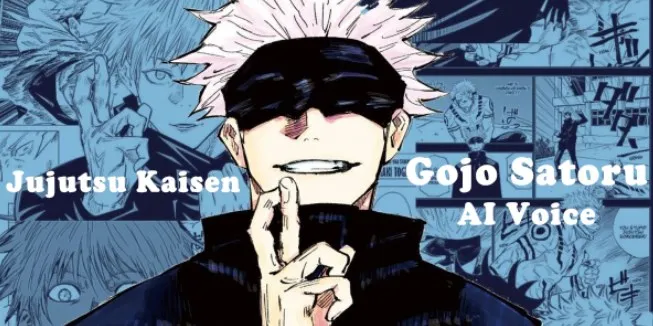
Jujutsu Kaisen Season 4's first teaser dropped on June 19, 2026, confirming Satoru Gojo's return — and fans instantly wanted his voice in their own edits. This guide shows how to make Gojo's AI voice with text-to-speech, turn songs into Gojo AI covers, and convert his iconic lines into audio.
Secure Visit
- Part 1. How to Get Gojo's AI Voice Free with Text to Speech
- Part 2. Make a Gojo AI Cover: Turn Any Song into His Voice
- Part 3. Clone Gojo's Voice to Build a Reusable Voice Model
- Part 4. Gojo's Most Iconic Voice Lines in English and Japanese
- Part 5. Who Voices Gojo? The Japanese and English Voice Actors
- Part 6. FAQs About Making Gojo's AI Voice
Part 1. How to Get Gojo's AI Voice Free with Text to Speech
The fastest way to know how to get Gojo AI voice lines is text-to-speech: type your script, pick the Gojo model, and download the audio — no recording, no editing software. TopMediai's model is cloned from his original audio, so it keeps his calm, confident tone instead of a flat robotic read. A free Gojo AI voice preview runs in the browser before you generate anything.
TopMediai Text to Speech
TopMediai Text to Speech turns your script into a Gojo AI voice download in seconds. Open the Satoru Gojo AI voice model, type your text, and listen — no editing skills required.

1 Time Free Trial of The Selected Voice Below
Step 1. Open the Gojo voice generator page, or the TTS app with the Gojo voice already loaded.
Step 2. Type or paste the line you want Gojo's AI voice to say — the preset reads English (US) by default, and you can switch the output language from the selector to Japanese or any of 190+ languages.
Step 3. Click Listen to preview, then download your clip as WAV or MP3.
Listen to Gojo Satoru AI voice:
Key Features
3200+ AI voices across 190+ languages and accents for global reach.
The Gojo model is cloned from original audio for a natural, expressive tone.
Free trial generations — try Gojo AI voice free before any plan.
Part 2. Make a Gojo AI Cover: Turn Any Song into His Voice
A Gojo AI cover replaces the vocals of an existing song with Gojo's voice while the instrumental stays untouched — the same technique fans use for anime openings and character song parodies. The same workflow also produces a Gojo AI voice dub when you feed it a scene or a single spoken line instead of a song.
Step 1. Upload an audio file, record from your mic, or paste a YouTube link into the AI Song Cover tool, then select the Satoru Gojo model.
Step 2. The AI separates vocals from the instrumental, then applies Gojo's voice model to the singing.
Step 3. Download your cover as MP3, WAV, or stems — ready to post.
Best for
Anime opening remakes and character song parodies.
Fan edits where Gojo "sings" a trending track.
Part 3. Clone Gojo's Voice to Build a Reusable Voice Model
Voice cloning saves a Gojo voice model to your library so you never have to re-pick the voice again — useful if you want to talk to Gojo AI voice by dropping your own dialogue into a scene. TopMediai Voice Cloning covers 32 languages and four methods: Instant, Professional, DIY Role, and Character.
Step 1. Open Voice Cloning and pick a method.
Step 2. Upload a short Gojo clip, or use Character mode to design a voice from a prompt.
Step 3. Preview, save the model, and use it in the TTS app for any project.
Best for
Fan dubs and character reads where you supply the lines.
Reusable voiceovers without re-generating each time.
Part 4. Gojo's Most Iconic Voice Lines in English and Japanese
These five lines are the ones fans quote and search for most. Paste any of them into the text box above to create a Gojo voice lines download in seconds.
"Throughout Heaven and Earth, I alone am the honored one." — his Domain Expansion line.
"I'm the strongest." — his signature boast.
"Don't worry. I'm the strongest, so it'll be fine." — reassuring his students.
"You're so cute when you're jealous, Megumi." — his teasing side.
"Let's go." — right before a fight.
The preset Gojo voice reads English (US) by default, but the TTS tool has a language selector — switch the output language to Japanese, Spanish, or any of 190+ supported languages and the same Gojo voice speaks it. So Gojo voice lines English come straight from the text box, and Gojo voice lines Japanese generate the same way once you set the language to Japanese. No recording required for any of them.
For the full-name variants, search Gojo Satoru voice lines and generate them the same way. Each clip is a ready Gojo AI voice download you can drop straight into an edit.
Part 5. Who Voices Gojo? The Japanese and English Voice Actors
Satoru Gojo is voiced by Yuichi Nakamura in the original Japanese and by Kaiji Tang in the English dub of Jujutsu Kaisen. Because the Gojo AI clips you generate are modeled on those performances, knowing who voices Gojo tells you which track your output will resemble.
Yuichi Nakamura — the Gojo Japanese voice actor, born February 20, 1980 in Kagawa, Japan (Wikipedia).
Kaiji Tang — the Gojo English voice actor, the Gojo voice actor English fans hear in the dub, born January 25, 1984 in Shanghai, China (Wikipedia).
If you've searched Gojo's voice actor or Gojo Satoru voice actor, they point to the same pair: Nakamura (JP) and Tang (EN).
If you've wondered who voices Gojo English, it's Kaiji Tang — the same talent behind every Gojo voice actor line you generate.
Part 6. FAQs About Making Gojo's AI Voice
1Should I use Gojo's Japanese or English voice for my edit?
Match whichever track your footage already uses. The Gojo preset defaults to English (US), which fits dub-style edits where viewers follow without subtitles. For a sub-style or Japanese track, open the TTS language selector and set the output language to Japanese — the same Gojo voice speaks it, no recording needed. The selector covers 190+ languages, so Spanish, Korean, or any other track works the same way.
2How is this different from the Gojo RVC models people share on Reddit?
An RVC model converts an existing recording into his voice, so you have to speak or sing the line yourself first, and running it locally needs a dedicated GPU. Text-to-speech works the other way round: you type the line and the audio comes out in his voice, in the browser, with nothing to install.
3Do I need Gojo audio samples before I can make his voice?
Not for text-to-speech. The Gojo model is already trained, so typing is the only input required. Samples only matter on the cloning route, where you upload one short, clean clip and the tool builds a fresh model from it.
4Why does my AI Gojo voice come out muffled or distorted?
It is usually the input, not the model. Background music, overlapping dialogue, or mic noise in the source clip get baked into the result. Use a clean single-speaker sample, keep sentences short, and add punctuation so the model knows where to pause — unpunctuated run-on text is the most common cause of a flat, slurred read.
5Can I use an AI Gojo voice to redub an anime scene?
Yes, and it is a common fan-edit workflow: generate each line separately, then line them up against the footage in your video editor. The generated audio is only your half of it — the animation, score, and original dub still belong to their rights holders, so redubs are safest as non-commercial fan edits labelled as AI-generated.
6Will a video with an AI Gojo voice get flagged on YouTube or TikTok?
Synthetic narration on its own is allowed on both platforms. Claims and takedowns almost always come from what surrounds it: unlicensed anime footage, the original soundtrack, or audio presented as something a real person actually said. Original visuals plus a visible AI label keep most fan edits clear.
Conclusion Making Gojo's AI voice takes three routes: text-to-speech for any line you type, AI covers to put him in a song, and voice cloning for a reusable model. TopMediai brings all three into one browser workspace, so you can go from idea to a finished Gojo clip in minutes.
Secure Visit

-

October 13, 2026
GPT Image 2.5 vs Nano Banana 2.1: Which Is Better? -

September 30, 2026
Kling 4.0 Review: What's New, What's Good, What's Still Missing -

-

September 24, 2026
Grandma GTA Game Video Breakdown: Prompts Included -

September 20, 2026
Suno Studio 2.0 Review: Is It Worth the Premier Plan?
Recent Blogs


