


 Video Generation Types
 Supported AI Models
 AI Video Effects



 AI Video Tools
 AI Music Tools
 AI Voiceover Tools
 More Features
 API for Music-related Services
 API for Voiceover-related Services

 TopMediai's API Documentation:

 Help&Support
 Popular Tips


 Join our Discord!


New born babies are so precious to us that we want to capture every single moment of their. We want to preserve their little tiny gestures whether it is the first tooth, step, or a little baby talk. Capturing the pictures is less of a hassle now a days.Sending a customized first birthday card can be at your fingertips with these amazing baby photo background change online.

Table of Contents
- Part 1: How to Remove Baby Photo Background Online Free
- Part 2: Best Baby Photo Editor App for Android & iPhone
- Part 3: Bonus 5 Best Baby Background Photos Websites
- Part 4: FAQs about Baby Image Background Changer
Part 1: How to Remove Baby Photo Background Online Free
You can remove the background by visiting these online websites.
1 TopMediai BG Eraser Online - The Best Tools Online For You
The best online background removal for baby photo background. If you are struggling with removing background or do not have the skills to use photoshop software, then TopMediai BG Eraser is the best option for you.
Not only because it eliminates the baby photo background but also very easy to use. Removing backgrounds, especially baby images, requires high technology tools and knowledge. Still, with TopMediai BG Eraser, you are a single click away from removing complicated backgrounds, and it is free.

Step-by-step guide to Use TopMediai BG Eraser:
Here are simple, easy steps for removing background from baby images.
Step 1. Go to TopMediai BG Eraser.
Secure Visit
Step 2. Drag or upload the images in the selected section.

Step 3. Click on "remove background".

Step 4. You can change the background of the baby image OR download the image in high quality.

Key Features
You can remove background from baby images for free.
Allow you to change the background color.
TopMediai BG Eraserallowsdownloading images in HD resolution.
You can download images in PNG format.
Available on all devices.
Watch the video to learn more about TopMediai BG Eraser online .
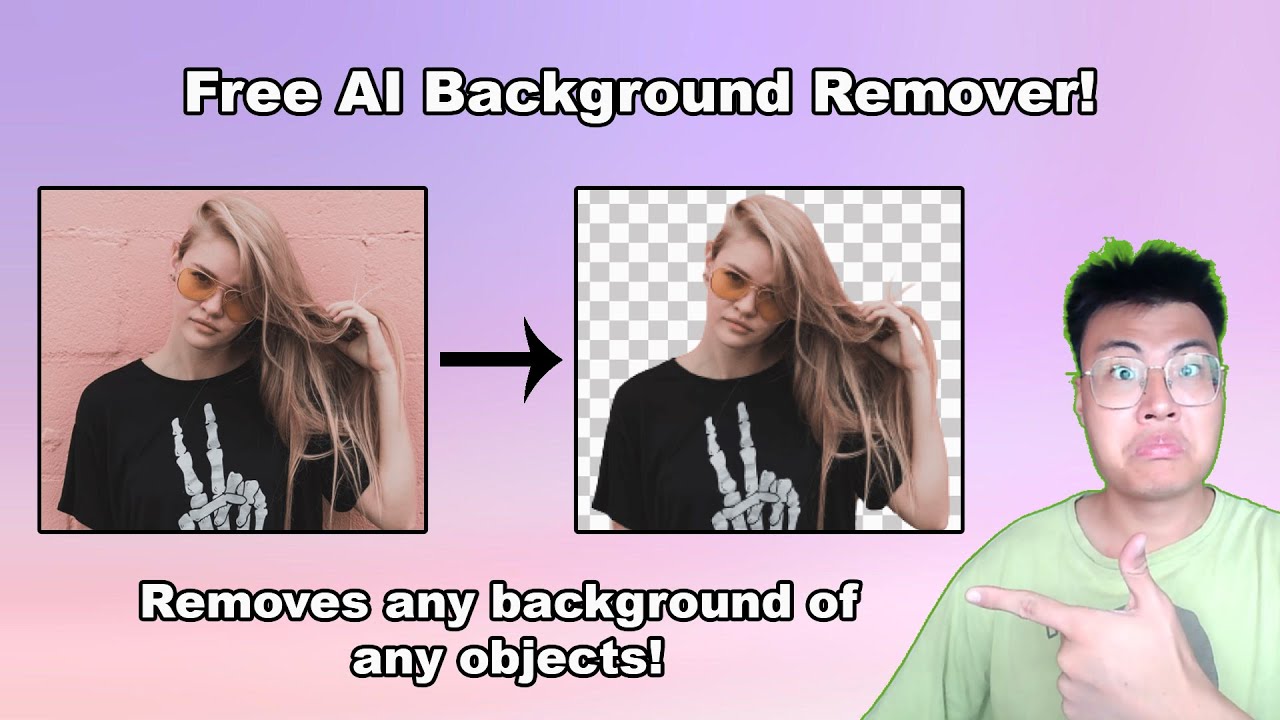
2 Simplified
Simplified is the best online website for baby photo background changer. The excellent point which attracts users is that their UI is simple.
And nothing extra is displayed on the website except the necessary items required to optimize your image and baby photo background change online. Simplified gives you the option to download your image in different resolutions.

How to use Simplified:
Step 1. Open the new project.
Step 2. Choose the baby image to remove its background.
Step 3. Click on the "remove background" on the toolbar.
Step 4. You can now add different filters and color backgrounds if you want.
Step 5. If you want to remove the background, then save the file in PNG format.
Key Features
You can do much more than just background removal.
You add different stickers to the PNG image.
Simplified offers different types of customized templates
Updated content every single month for their free users.
3 Remove.bg
If you are looking for a baby photo background change online and are unaware of editing software, you are in the right place; we will introduce a perfect website - Removebg to remove background from your baby images.
Removebg is a single-click website and requires zero knowledge about removing background because this online background removal will do everything for you in the blink of an eye.
Easy guide to using Removebg:
Step 1. Go to their website.
Step 2. Open the file or directly drag it to the website.

Step 3. Click on the remove button.
Step 4. After removing downloading the PNG file. If you are a free user, you will get an image in 720 HD.
Key Features
Removebg is a free tool to use and allow downloading image in 720 HD.
The UI is so simple, with no pop-up ads.
You can drag photos rather than going through the selection process.
You will remove the background in your baby image with just one click.
Look like real professional work.
Part 2: Best Baby Photo Editor App for Android & iPhone
Here are the Best Baby Photo Editor App for Android & iPhone some best apps you can give a try for removing background images.
1 Background Changer Eraser
Background Changer Eraser is a practical image editing tool that helps you quickly remove or replace photo backgrounds. Whether you want to erase a complex background into a solid color, extract people or objects, or place them into a new scene, this tool makes the process simple. Powered by AI technology, it can automatically detect subjects while also offering manual fine-tuning for natural results. It’s ideal for e-commerce product photos, ID pictures, creative design, and social media content, making your images look more professional and engaging.

Key Features
You can also use these PNG images as stickers.
User-friendly interface to make photo editing fun.
This application allows you to remove background from your baby image manually.
Automatically set the offset of your images.
Its magic mode allows users to cut edges easily.
2 Baby Pics
You don't need to learn professional photography or editing skills and remove the background. This application allows you to make your baby image go viral on a social platform.
You can do a baby photo background change, and it will enable you to add hundreds of stickers and filters which make your baby photo background change more beautiful.

Key Features
Make your baby photos look like real professionals.
All in one app feature, you can edit the baby photo background image.
Artwork to attach with your baby photos.
Every month new templates.
Available on all devices.
3 Cute - Baby Photo Editor
An excellent-looking picture is a professional application for moms who don't know how to save a good memory.
This application helps new moms capture beautiful moments and turn them into amazing photos by providing various unique templates, graphic works, and background changes.
How to Step in this baby photo editor:
Step 1. Install the application from the Google Play Store.
Step 2. Open the application and sign in for free.
Step 3. Now upload an image from the phone storage.
Step 4. Now click on background remove.

Key Features
Apply text on baby photo.
Many different background patterns.
Part 3: Bonus 5 Best Baby Background Photos Websites
Here are the other 5 most famous websites to remove background.
#Tip 1: Removal.ai is the best online background removal for baby images.
#Tip 2: Retoucher.online requires no sign-up, and you can easily remove background by uploading an image.
#Tip 3: Slazzer.com is a free tool to remove obstacles from the baby images.
#Tip 4: Photoroom.com allows you to remove background and resize your image according to your desired platform.
#Tip 5: Depositphotos.com removes not only the background but also enhances your photos in HD resolution.
Part 4: FAQs about Baby Image Background Changer
1 How can I change the background of the baby photo online?
You can easily change the baby photo's background by visiting any website we mention above.
2 Is there any app to change the baby photo background?
Yes, several top-rated apps on Android and iPhone change background images.
3 What apps can I use to edit the baby photo?
There are a few apps we found best for you are Background Changer & Eraser. Or you can use the web-based tool TopMediai BG Eraser Online to edit your baby photo without hassle.
Conclusion
We have shown you some top background removal apps and online websites. You must try out these websites if you don't have professional photo editing skills. If you want to remove and change the baby photo background with easy and a few clicks, try out TopMediai BG Eraser Online.Secure Visit

