


 Video Generation Types
 Supported AI Models
 AI Video Effects



 AI Video Tools
 AI Music Tools
 AI Voiceover Tools
 More Features
 API for Music-related Services
 API for Voiceover-related Services

 TopMediai's API Documentation:

 Help&Support
 Popular Tips


 Join our Discord!

 Text to Speech


Ever been spooked by a creepy voice in a game or horror video? With analog horror text to speech, you can turn any text into an eerie, unsettling voice. Using an analog horror voice generator, you can create retro-style horror voices for videos, pranks, or chilling audio content.

Click to Try for Free
Table of Contents
- Part 1: 3 Free Analog Horror Voice Generator Recommended
- Part 2: How to Generate Analog Horror Text to Speech With Your Own Voice?
- Part 3: Tips for Enhancing Your Analog Horror Voice
- Part 4: How Does Analog Horror Voice Generator Work?
- Part 5: FAQs about Analog Horror Text to Speech
Part 1: 3 Free Analog Horror Voice Generator Recommended
1 TopMediai Text to Speech – Get the Best Analog Horror Voice
TopMediai Text to Speech is an exceptional analog horror AI voice generator, perfect for crafting eerie analog horror text-to-speech experiences. With TopMediai, you can transform your text into haunting, captivating voices, making it an ideal choice for producing scary videos, podcasts, or even for surprising friends with unsettling audio clips.

Supports cloning of your own voice model.
Most AI voices support commercial use.
3200+ AI voices covering different tones and characters for narration or dubbing.
190+ languages and accents supported, ideal for global and local projects.
Multi-speaker dubbing lets you assign several voices in one script.
Advanced AI models create expressive and natural speech delivery.
Provides API for seamless app and website integration.
How to Get Analog Horror Voice on TopMediai?
Step 1: Go to the official TopMediai Text to Speech dashboard and enter the voice generation section.
Secure Visit
Step 2: Browse the available voices and select an analog horror–style option from the library.

Step 3: Enter the text or script you want to turn into a chilling analog horror narration.
Step 4: Click the “Generate Speech” button to create the analog horror voice audio.
Step 5: Listen to the preview to ensure the voice has the eerie, unsettling effect you’re looking for.
Step 6: Download the finished audio file or apply it directly to your horror-themed video or project.
- Large voice and language library for diverse needs.
- Multi-voice support adds variety to storytelling.
- Clear and natural audio output.
- Works online, no software required.
- Frequent updates keep quality consistent.
- Reliable tool for both personal and commercial use.
- Needs internet access.
Come and experience the creepy little girl AI voice here today!

1 Time Free Trial of The Selected Voice Below

2 VoiceMod
With VoiceMod, you can dive into a world of AI-generated sounds through its text-to-speech soundboard, perfect for creating unique analog horror audio. Whether you're looking to entertain, inspire, or add a spooky edge, VoiceMod has a variety of crafted AI text-to-speech voices ready to use. Create eerie, analog-style horror effects, share with friends, and make your audio content unforgettable!

You have all sound effects, voices and sound clips to play, download and share.
Easy to use.
- Over 120000 community sounds included.
- Real-time voice modulation.
- Paid subscription.
- Can't use it without an account.
3 Fasthub.net
FastHub.net will record, translate and read out loud any text or speech input. Once you set the site to automatically translate and output the text in another language. Then the interface gives you the possibility to choose the desired Voice-Type from a drop-down list, alter the amplitude/pitch and adjust the speech speed. With these features, you can easily generate a analog horror text to speech.

Can convert any speech or text into another language.
Make communicating easy in all kinds of different languages.
Focusing on fast performance and responsiveness.
- Easy to use.
- With clear guide in this website.
- Without abundant sound resources.
- Any on-demand MP3 file made available will be removed about once or twice a month.
Part 2: How to Generate Analog Horror Text to Speech With Your Own Voice?
1 TopMediai AI Voice Cloning - Clone Your Own Analog Horror Voice
Imagining how fun it would be to generate analog horror AI voice with your own voice. Here we would like to recommend a powerful tool - TopMediai AI Voice Cloning for you. The principle of voice cloning is to automatically generate a model by analyzing the timbre of the audio you upload. After cloning your AI voice, you can download it to generate analog horror text to speech and then use this analog horror text to speech voice to do whatever you want.
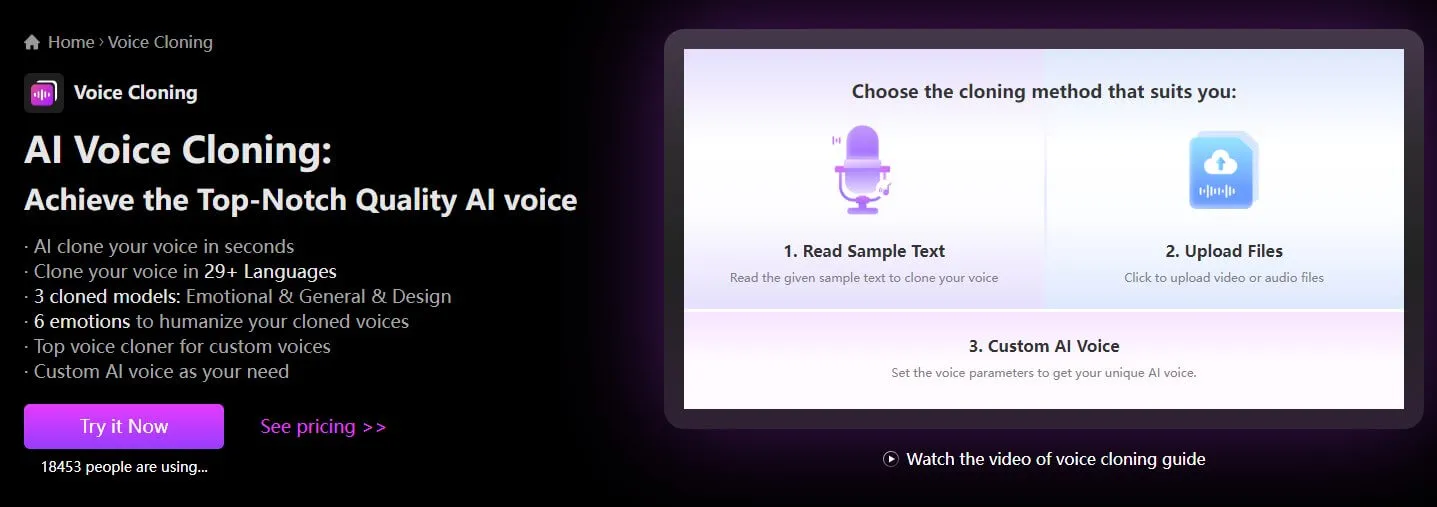
How to Clone Your Own Voice?
Step 1: Visit TopMediai AI Voice Cloning feature.
Secure Visit
Step 2: Choose a cloning mode: upload audio file or record your voice online. And following the guide.
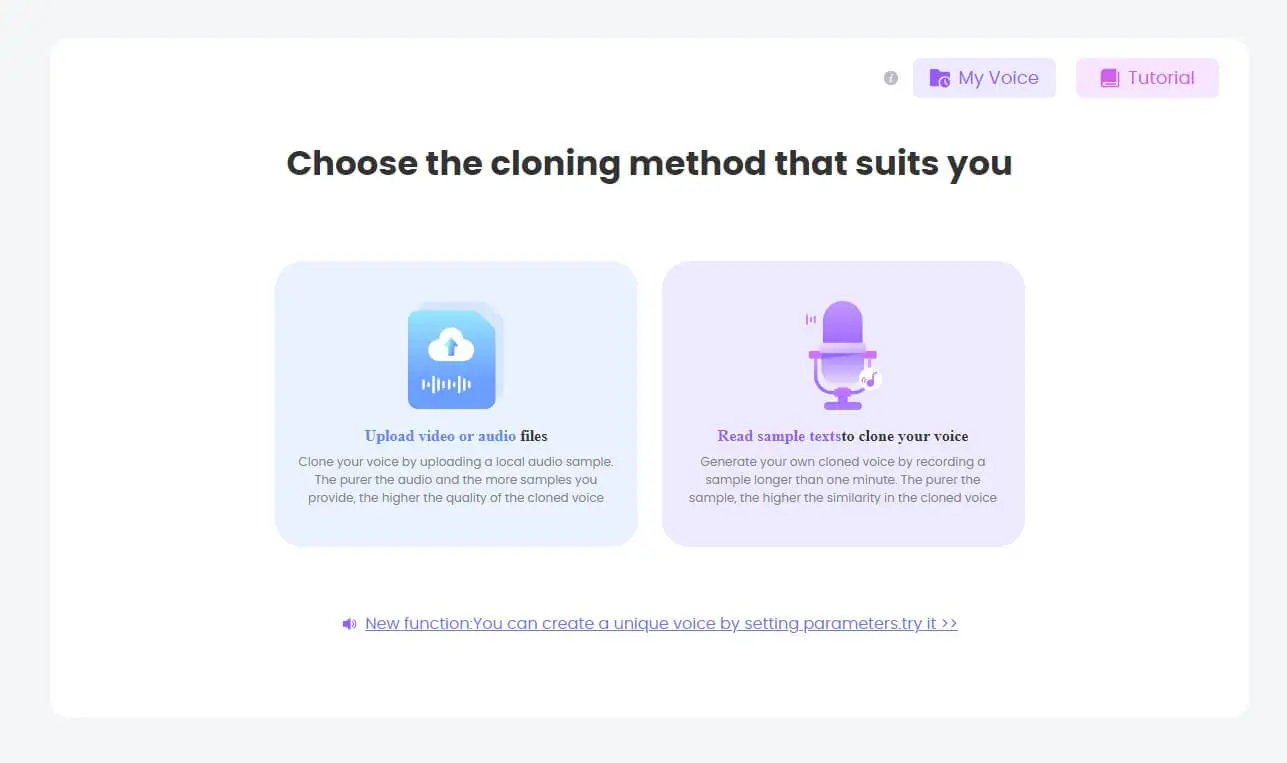
Step 3: Click "Start cloning".
Step 4: You can see the cloned voice on "My voice".
Step 5: You can use it for analog horror text to speech now.
Part 3: Tips for Enhancing Your Analog Horror Voice
1. Choose the Right Voice
For a truly chilling effect, select deep, raspy, or echoing tones. Using an analog horror voice generator, you can adjust pitch, speed, and volume to transform almost any AI voice into a spine-tingling analog horror voice. Fine-tuning these settings adds the unsettling, retro-horror vibe that makes your audio truly immersive.
2. Control Speech Speed and Pauses
Slowing down the speech can build tension and suspense. Add strategic pauses before key phrases to heighten fear. Most analog horror TTS tools, including the TopMediai dashboard, allow you to control pitch, volume, speed, and pauses to create the most realistic, terrifying horror voices.

3. Write Creepy Texts
The text itself can be just as important as the voice. Short, eerie phrases work best for creating an unsettling atmosphere in your analog horror TTS projects.
Here are some sample texts:
There's someone standing right behind you. Don't turn around.
I saw your reflection in the mirror, but you weren't there when I looked back.
I heard footsteps in the attic, but we don't have an attic.
The baby monitor just started playing laughter. We don't have a baby.
I saw someone who looks exactly like you today. They were staring at me… and smiling.
Using these tips with analog horror text to speech and an analog horror voice generator, you can create audio that is unnerving, immersive, and perfect for analog horror videos, games, or pranks.
Combine voice, pacing, and atmosphere for a chilling experience!
Part 4: How Does Analog Horror Voice Generator Work?
Analog Horror Voice Generators typically operate by utilizing vintage or analog technologies to produce synthetic voices with a distinct eerie quality.
Source Material: The generator starts with a base text, often a horror story or script.
Analog Processing: The text is processed through analog equipment, such as retro synthesizers, old voice modulation devices, or other vintage sound manipulation tools.
Unique Effects: Analog processing introduces unique audio effects that may include distortion, static, echoes, and other characteristics associated with older technologies.

Layering and Mixing: The processed voice is often layered with additional sounds or atmospheric elements to enhance the overall eerie ambiance.
Recording Medium: The generated audio might be recorded onto analog mediums like cassette tapes or VHS tapes to achieve an authentic vintage feel.
Playback: The final result is played back, creating a synthetic voice that carries the nostalgic and haunting qualities characteristic of analog horror narratives.
Unlock Voice Cloning with 2 Methods: Upload Audio Files or Record Online.
Experience lightning-fast voice analysis and cloning
Utilize cloned voices across 28+ languages.
Secure permanent storage for your cloned voices.
Part 5: FAQs about Analog Horror Text to Speech
1 Can I use analog horror text to speech online?
Yes. Many platforms, including TopMediai, allow you to create analog horror voice text to speech online without downloading extra software.
2 Is there an analog horror voice generator free to try?
Yes, TopMediai Text to Speech provides a free trial for you to try analog horror text to speech online free. Other analog horror voice generators mentioned above also let you test the analog horror AI voice before upgrading to a paid plan.
3 What can I use analog horror text to speech for?
It’s commonly used in horror short films, creepypasta narrations, unsettling YouTube videos, or any project that needs a chilling analog horror vibe.
4 Do I need editing skills to use an analog horror voice generator?
No. Most analog horror text to speech tools are beginner-friendly—just type your text, pick the voice, and generate the audio instantly.
Related Articles
Creepy Voice Generator: Delving into Scary Voice Text to Speech
[2026] Scary Voice Changer For Halloween - Prank Your Friends Now
Conclusion
In this article, we recommend some useful analog horror voice generator for you that you can make fun analog horror voice online free. Especially the TopMediai Text to Speech, you can embark on a spine-tingling adventure as you immerse your audience in the eerie soundscapes crafted with the unsettling tones of analog horror AI voice.
Give it a try today and bring your analog horror text-to-speech experience to life with our Halloween text-to-speech features!
TopMediai Text to Speech
Free AI-powered analog horror voice text to speech you should try!

-

February 24, 2026
TopMediai Coupon Code: Save on All AI Tools with One Plan -

January 29, 2026
Super Bowl AI Voice: Create Viral Game-Day Content -

January 26, 2026
Best Santa Video for Kids in 2026: Create Magical Christmas Messages -

January 26, 2026
How to Use Grok Imagine: Free Tutorials & Best Alternatives -

January 26, 2026
Best 5 AI News Generators to Produce News Articles & Videos
Recent Blogs


