


 Video Generation Types
 Supported AI Models
 AI Video Effects



 AI Video Tools
 AI Music Tools
 AI Voiceover Tools
 More Features
 API for Music-related Services
 API for Voiceover-related Services

 TopMediai's API Documentation:

 Help&Support
 Popular Tips


 Join our Discord!

 Text to Speech


 Listen to this article with TopMediai!


How to make your own AI voice is no longer just for developers or audio engineers—it’s something anyone can do in minutes. From content creators to casual users, more people are discovering how easy it is to generate a personalized AI voice that sounds just like them.
Even in regions like Indonesia, where the term "suara AI sendiri" is trending, demand for voice cloning tools is rising fast. In this guide, you’ll explore practical methods to create your own AI voice and learn what you can do with it afterward.
- Part 1: How to Make Your Own AI Voice in Three Ways
- 1. Upload Audio Files to Make Your Own AI Voice
- 2. Read Sample Text to Make an AI Voice of Yourself
- 3. The Best Voice Cloning Method Takes 5–10 Minutes
- Part 2: What Can I Use My Own AI Voice Model For?
- Part 3: FAQs about Creating Your Own AI Voice
Part 1: How to Make Your Own AI Voice in Three Ways
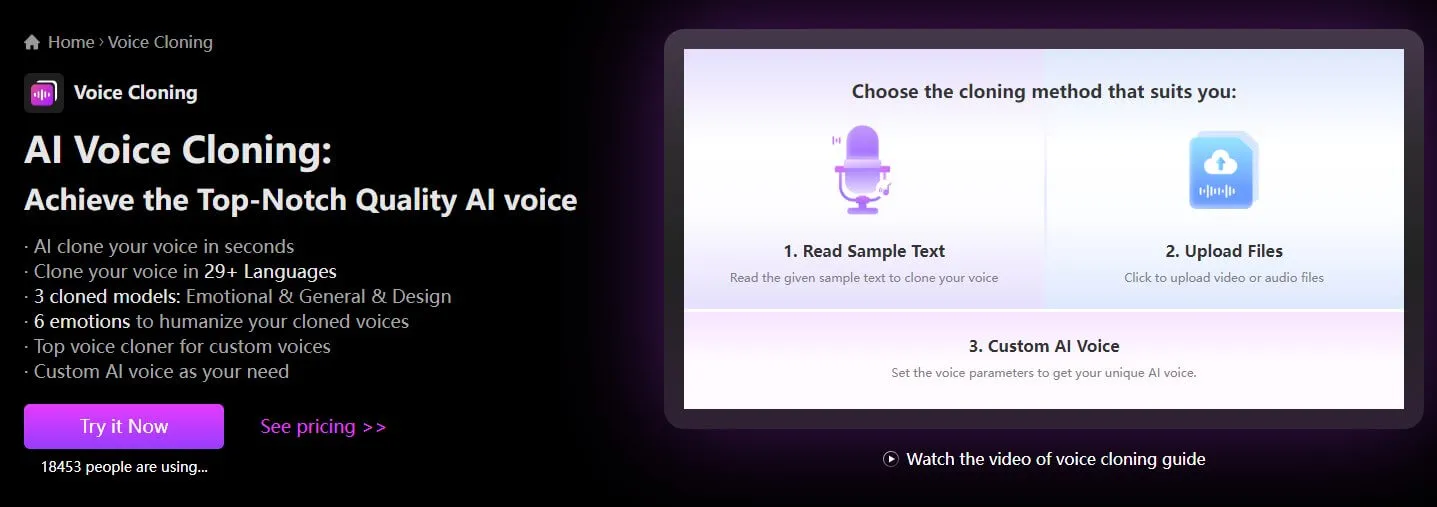
Creating your own AI voice has become incredibly accessible—no special equipment or technical skills required. Today’s leading platforms make it easy to clone your voice with just a few recordings. Among them, TopMediai AI Voice Cloning stands out for its fast, high-quality results and beginner-friendly design.
If you’re wondering how to make your own AI voice, or searching in Indonesian for “suara AI sendiri”, this guide will walk you through three practical cloning methods using TopMediai AI Voice Cloning—helping you generate a realistic AI version of your voice in just minutes.
1 Upload Audio Files to Make Your Own AI Voice
Step 1: Access to the official dashboard of TopMediai AI Voice Cloning.
Secure Visit
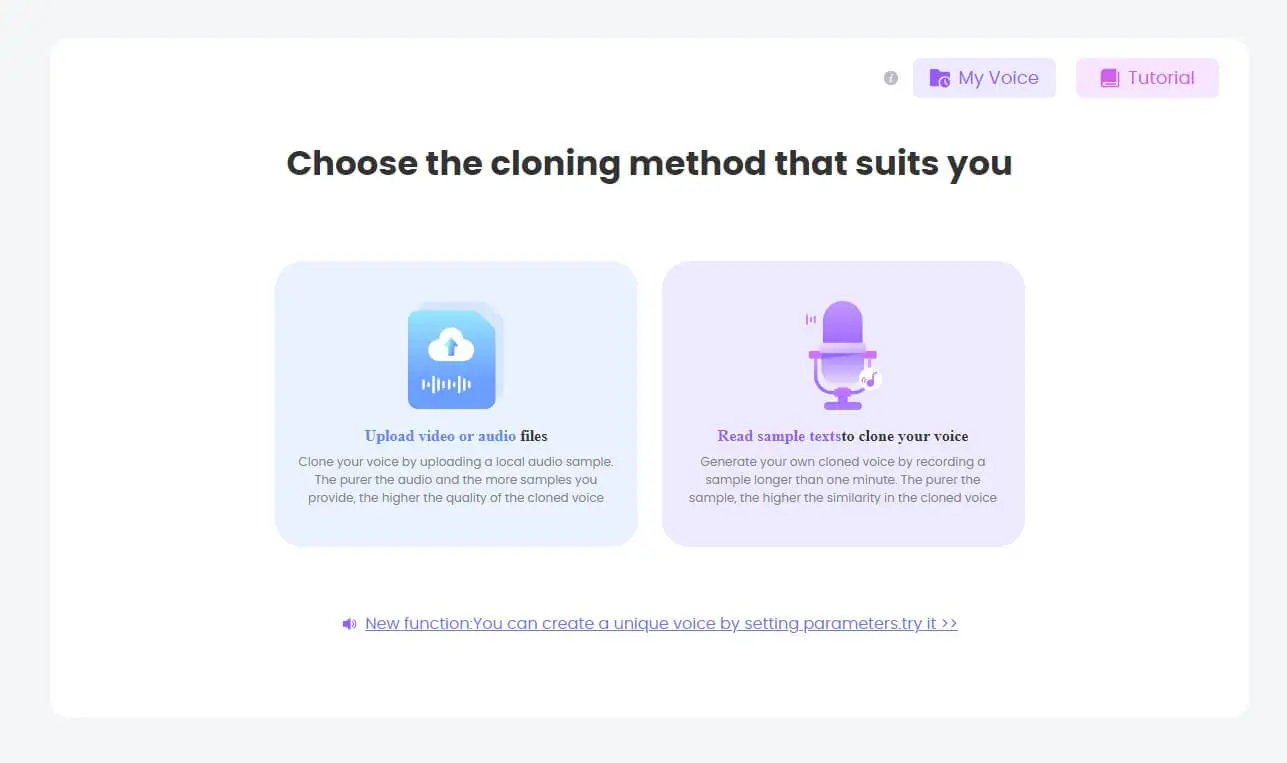
Step 2: Click Upload video or audio files and upload the audio file containing your voice, then click Start Cloning.
Tips
The purer the audio and the more samples you provide, the higher the quality of the cloned voice.

Step 3: After finishing the process, you could turn to TTS to use your voice.

2 Read Sample Text to Make an AI Voice of Yourself
Step 1: Click Read sample text to clone your voice.
Step 2: Click Record and read the following passage aloud.

Step 3: Once you’re done recording, you can start cloning your own voice and use it for things like text-to-speech.
3 The Best Voice Cloning Method Takes 5–10 Minutes
The third method for creating your own AI voice delivers the most realistic AI voice clone and is considered the best AI voice cloning method . Although it takes a bit more time than the first two methods — around 5 to 10 minutes — it's absolutely worth it for those seeking perfection!
Step 1: Select the "Professional" option, read and agree to the terms of use, and click Start.

Step 2: Choose to upload your audio or record your voice to start generating your AI voice and further train it.

Secure Visit
With the three methods above, you can easily create your own AI voice.
Advanced audio enhancer processing included.
Accurate voice replication using advanced machine learning algorithms.
Data security and privacy measures for safe handling of user data.
Seamless integration of AI voices into various applications and platforms.
Customization options to fine-tune AI voices according to user preferences.
Continuous improvements and updates to enhance voice cloning technology.
User-friendly platform for easy voice sample upload, processing, and model training.
Things you may want to know:
1. How many languages does TopMediai AI Voice Cloning support? And what are they?
In fact, TopMediai AI Voice Cloning allow users to make your own AI voice in 32 languages. And they are as follows respectively:

2. What is the biggest advantage of TopMediai AI Voice Cloning?
While being affordable, it guarantees the best quality: using advanced audio noise reduction technology. So the cloned voice is very clear.
3. What are the differences between your Cloning Models?
①. Fast Model holds 99.8% cloning accuracy and unique accent support. Emotion Model Cloning can control 6+ emotions in the cloned voice, but it only supports English.
②. The General Model Cloning support 32+ languages, offering greater stability and clarity.
③. The General+ Model Cloning help you enhance the voice further.
④. The Design Model Cloning provides more customization and flexibility, though it may occasionally compromise on quality stability.
4. What are the differences between Instant Mode and Professional Mode?
More time required in Pro mode and better cloned voice quality you will get. Generate your own cloned voice by recording a sample longer than one minute. The purer the sample, the higher the similarity in the cloned voice.
Part 2: What Can I Use My Own AI Voice Model For?
Once you’ve built your own AI voice model (“suara AI sendiri” in Indonesian)—there’s a wide world of possibilities. Here are some of the most practical and creative applications:
Case 1: Personalized Digital Assistants & Voice-enabled Apps
Supercharge your virtual assistant or voice-based app with a replica of your voice. This can make customer service, smart home commands, or automated responses feel distinctly yours, with consistent tone and personality.
Case 2: Audiobook Narration & E‑Learning
Use your AI voice to narrate audiobooks, blog posts, or educational content. It’s a time-saving way to produce audio content in your own voice, enhancing connection and engagement without needing to record manually each time.
Case 3: Gaming, Virtual Reality & Character Voices
Bring characters or avatars to life in games and VR with authentic voice performances. AI voice clones create immersive experiences and unique personalities for characters, all without needing professional voice actors.

Case 4: Podcasting, Social Media & Content Creation
Perfect for intros, outros, quick edits or voiceovers on platforms like TikTok, YouTube, or podcasts—your cloned voice ensures consistent delivery, cuts down recording time, and maintains brand identity.
Case 5: Personalized Marketing & Multilingual Outreach
Brands and creators use AI voice clones to send custom audio messages (e.g. thank‑yous or promotions), or to dub content into multiple languages—retaining emotional tone while expanding global reach.
Case 6: Assistive Technology for Voice Impairment
For individuals who’ve lost their natural voice due to medical conditions, AI voice cloning can restore personal vocal identity. A well‑known example is Alexis “Lexi” Bogan, who regained speech with an AI clone based on a teenage voice recording.
Part 3: FAQs about Creating Your Own AI Voice
1 What is creating your own AI voice?
It refers to AI tools that let you create or clone your own voice for narration, podcasts, or other digital projects.
2 Can I create my own AI voice without technical skills?
Yes. AI voice makers are designed for beginners. You don’t need coding knowledge — just provide audio and text, and the system does the rest.
3 Which is the best tools to create your own AI voice?
When choosing an AI voice maker, it's essential to consider factors such as the quality of the generated voices, the variety of available voices, pricing, and the platform's compatibility with your intended use.
For these reasons, we recommend TopMediai AI Voice Cloning. Because it is an online product, compatibility is good. It allows users to clone their own voice model, and offers a rich price package.
4 Can I customize specific aspects of my AI voice?
Yes, with the right tools such as TopMediai, you can customize various aspects of your AI voice. Fine-tuning the AI model allows you to modify characteristics like accent, pitch, speaking style, and more, giving you a higher level of personalization.
5 Is it safe to create your own AI voice model?
Yes, but you should always use trusted platforms that protect your data. Check privacy policies to ensure your recordings are not misused.
Other Cloning Tips:
8 Best AI Voice Cloning Software to Create Authentic Voiceovers
AI Voice Clone Online: Create Lifelike Voices with AI Technology
Text to Speech AI Voice Cloner: Make Realistic AI Cloning Voice
Conclusion
Making your own AI voice is an exciting way to unleash your creativity and craft a voice that’s truly your own. With TopMediai AI Voice Cloning, you can easily learn how to make an AI voice model for free and kickstart your journey today.
Just follow our step-by-step DIY guide to create your custom AI voice model — and always remember to use the AI voice maker responsibly while respecting intellectual property rights.
Secure Visit

-

February 24, 2026
TopMediai Coupon Code: Save on All AI Tools with One Plan -

January 29, 2026
Super Bowl AI Voice: Create Viral Game-Day Content -

January 26, 2026
Best Santa Video for Kids in 2026: Create Magical Christmas Messages -

January 26, 2026
How to Use Grok Imagine: Free Tutorials & Best Alternatives -

January 26, 2026
Best 5 AI News Generators to Produce News Articles & Videos
Recent Blogs


