


 Join our Discord!



 Listen to this music created by YuE2 model

Have you ever written a set of lyrics and wished you could tweak just one single note of the AI-generated chorus, without re-making the whole song? YuE2 is an AI music model that does exactly this. Feed it your lyrics and pick a style such as acoustic pop, and it will generate a complete track with vocals and backing instruments.
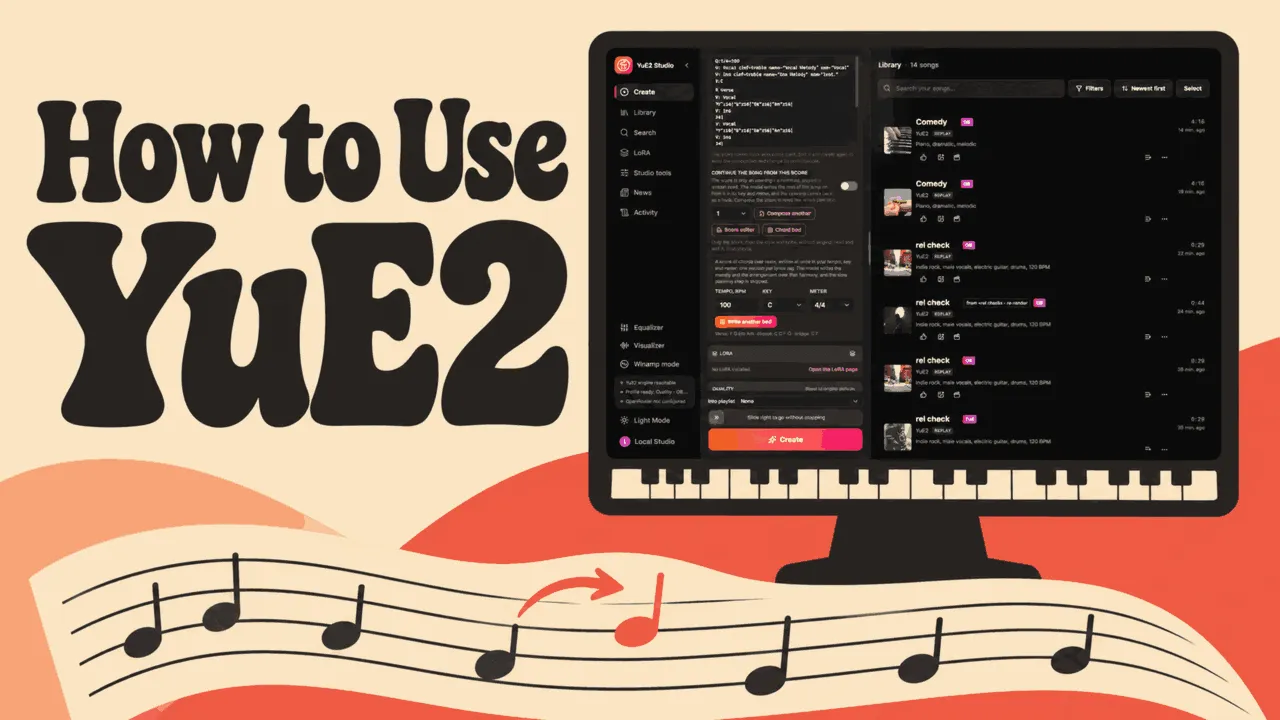
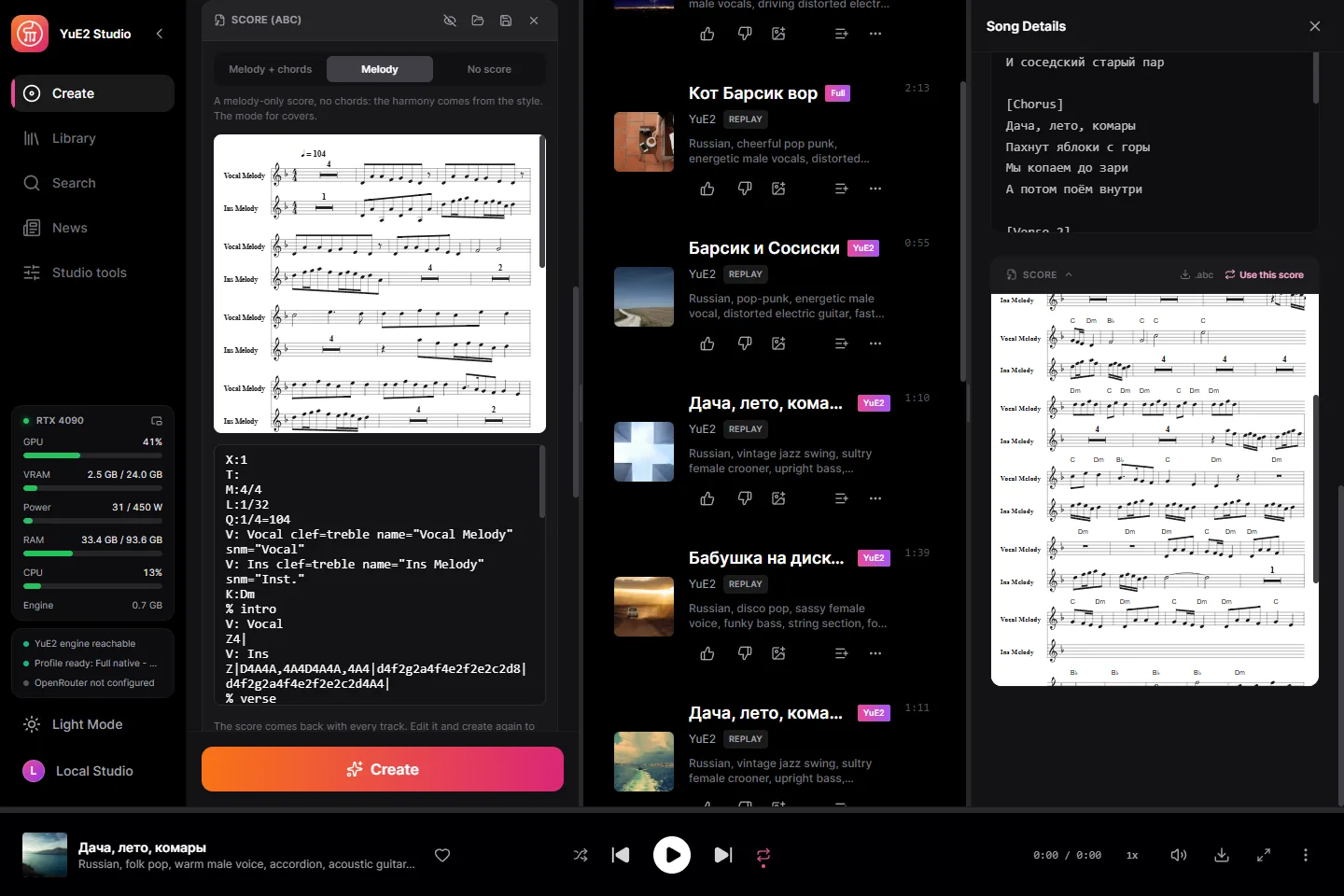
You can try YuE2 free in your browser. Or, use the YuE2 Studio desktop app, you get full access to the score editor: adjust any pitch, replay the vocals instantly, and refine every part of your song. So How to use it? In this article, we'll tell you how to use it and if it worth.
Secure Visit
Table of Contents
How is YuE2 Studio?
If you want control over the melody, YuE2 is a good choice. When you like a chorus but wish the last note went higher, YuE2 Studio lets you change that note in the score and hear a new take. If you just want to hear how your lyrics sound as a song, start with the free browser demo.
| What matters to you? | The short answer |
|---|---|
| Control over the tune | YuE2’s biggest strength. Edit a note or chord and keep the rest of your score. |
| Making covers | A good fit. Turn your demo into a score, then hear the same melody in a different style. |
| Natural Mandarin vocals | Results vary. Some listeners found the words clear, while others heard tones that sounded off. |
| Overall sound vs. Suno | Suno v6 was the overall favorite in the team’s blind test. YuE2 ran about even with Suno v5. |
Can Your Computer Run YuE2 Studio?
YuE2 is the music model. YuE2 Studio is the free desktop app maintained by timoncool that runs it on your computer. The quickest way to check your PC is to show ChatGPT what Windows says about your graphics card. Gemini can walk you through finding the same information. YuE2 Studio requirements
Gemini · Check my GPU screenshot
I’m attaching a screenshot of the GPU page in Windows Task Manager. Can this PC run the latest YuE2 Studio by timoncool? Use the graphics card model and total dedicated GPU memory in the screenshot. Give me one verdict: ready to try, possible but slow or experimental, or one more detail needed. Explain why in one sentence.
ChatGPT desktop · Walk me through the PC check
Help me check whether this Windows PC can run YuE2 Studio by timoncool. Give me one click or shortcut at a time. Help me find my graphics card, its total dedicated GPU memory, my Windows version, and my free disk space. Then tell me whether this setup is ready to try.
Check your graphics card in Windows
Press Ctrl + Shift + Esc to open Task Manager. Click Performance, then GPU. If you see two GPUs, open the NVIDIA one and look for Dedicated GPU memory. If it reads 0.7 / 8 GB, your card has 8 GB of dedicated memory. See Microsoft’s Task Manager example.
| What you have | What to try |
|---|---|
| 64-bit Windows 10 or 11 and an NVIDIA GPU with 6 GB or more of dedicated memory | Start with the model set Studio recommends. The project lists roughly 4–10 GB of disk space for one model set, plus room for the app and saved songs. |
| Apple silicon Mac | Check the project’s current Releases page for the Mac installer and setup notes. |
| AMD or Intel graphics, or a Linux PC | Studio documents experimental options. CPU generation is also available and can be much slower. The browser demo is the quicker way to hear a first result. |
| A phone or a computer you can’t install apps on | Use the free YuE2 browser demo hosted by Noiz. Check the page for the current allowance. |
The model team’s separate Python setup lists a 24 GB NVIDIA GPU. The Studio app uses a different runtime and offers smaller model downloads. YuE2’s Python requirements · Studio model sets.
Let AI Help You Install YuE2 Studio for Free
If you already use Codex on your desktop or Claude Desktop’s Code tab, start a session on this computer. Ask it to download and open Studio for you. When Windows asks you to confirm something, follow the assistant’s instructions on screen. YuE2 Studio and its base model downloads are free. Studio’s setup guide for AI assistants.
Codex or Claude Code · Install YuE2 Studio
Help me install the free YuE2 Studio from the latest timoncool GitHub release at https://github.com/timoncool/YuE2-Studio/releases/latest. Check my graphics card and free disk space, then download and open the right release for this computer. Use Studio’s recommended model set and make a short test song from a built-in example. Show me where I can play the song and open its score. If I need to click anything, tell me exactly what to click.
Prefer to follow along on screen? Watch Wizzdome-Music’s Windows installation tutorial, featured in the Studio repository. Use the current release link below if the video shows an older download.
Install it yourself
- Open YuE2 Studio Releases. Run the Windows x64 installer or unzip the portable download and open YuE2-Studio.exe.
- On the first screen, click Download for the recommended model set. Leave Studio open until it finishes.
- Load a built-in example and click Create. Setup is complete when you can play the song and open its score.
Once the required files are downloaded, the core song generator runs locally. Optional features can require a separate first-time download or a cloud connection. Studio quick start.
How to Use YuE2 Studio
Open Create and describe how you want the song to sound in Style. Paste the words you want sung into Lyrics, then click Create. In the default score mode, the song and its score appear in your library. To change how a line is sung, open the score, edit the melody and generate a new version. Studio quick start.
YuE2 Prompting Guide
Try this indie-pop chorus about walking home in the rain. Copy each card into the matching field in Studio.
Style · Paste into YuE2 Studio
English, 2010s indie pop, soft close-miked female lead, fingerpicked acoustic guitar, warm bass and brushed drums, reflective late-night mood, 92 BPM
Lyrics · Paste into YuE2 Studio
[Verse]
Rain on the corner store
Your light is still on
[Chorus]
I take the long way home
To hear the rain slow down
I take the long way home
Past the lights on our old street
| If you hear this | Try this in YuE2 |
|---|---|
| Your genre prompt produces a generic arrangement | Add a decade or subgenre, a specific vocal delivery and the instruments you want to hear. Use a BPM as a starting point. For specific notes or tempo changes, adjust the score. |
| The singer reads your instructions aloud | Move directions about the voice or arrangement into Style. Keep Lyrics to the sung words and section headings such as [Verse] and [Chorus]. |
| The backing sounds thin | Give instruments a job. Describe piano fills between vocal lines or brushed drums underneath the verse. A community discussion on layering instruments shows how some users make those prompts more specific. |
| Your new cover lyrics miss the beat | Change one line at a time. Match the original line’s syllable count and where the stresses fall. Try replacing I miss the rain with I hear the waves. Both have four syllables with the same basic stress pattern. |
YuE2’s generation guide covers the prompt fields and score modes. The project’s Studio writing guide includes more about section tags and tempo.
What else can YuE2 Studio do?
Remake a recording in a new style. Studio can transcribe a recording’s melody into a score for a cover.
Pull a song apart or keep editing it. Split six stems, turn audio into editable MIDI, or export a lyric video with karaoke-style captions.
Work from an AI assistant. Connect to Studio’s local MCP server to give it songwriting and score-editing tasks.
YuE2 vs. Suno – What Changes When You Edit a Song?
Say you like your chorus and want the last note to go higher. YuE2 Studio lets you move that note in the score and generate a new performance. Suno’s Replace Section lets eligible users select the chorus and audition a replacement. The approaches suit different decisions about what to change.
| What you want to do | YuE2 Studio | Suno |
|---|---|---|
| Raise a specific note | Move that note in the editable score and render a new full take. | Use Replace Section to request a new performance of the selected passage and audition the result. |
| Get started on the device you have | Use the free browser demo to try the model. Install Studio for the local score workflow. | Generate in the browser, then check your plan for the editing tools you want. |
In the YuE2 team’s technical report, YuE2’s best-of-eight selection scored 6.96 on SongBench against 6.56 for Suno v6, with different candidate-selection budgets. In the team’s expert blind test, Suno v6 drew 59.3% of overall preferences and YuE2 best-of-eight drew 31.6%, with the remainder tied.
For a comparison that matches your own project, use the same lyrics and style in both tools. Listen for whether each word lands on the beat, then try changing the last note. You can hear the team’s published examples and follow the score changes in YuE2’s Cover & Editing demos. See Suno’s Replace Section guide for the corresponding edit.
Is YuE2 Royalty-Free? Commercial License Explained
Yes, for eligible individual use. Individual creators can publish, sell or monetize music made with the original YuE2-3B and YuE2 VAE under the model terms. They owe the YuE2 model licensors no license fees or royalties for that use. Companies that want to use the model weights commercially need a separate license. YuE2 model license.
| What you’re making | What the license allows |
|---|---|
| An original song for your monetized channel or a client, working as an individual | The individual creator permission covers monetization and delivering or licensing your output to clients, subject to its terms. |
| A company running the model to make music for brand campaigns | Contact the model rights holders to arrange a separate commercial license for the weights. |
| A cover of an existing song, or a track using add-on models | Check permissions for the source material and for each component used. Studio lists SheetSage2 and the Mothersuperior decoder companion under separate noncommercial terms. Studio component licenses. |
On a deadline, give yourself time to listen through the finished take. If the singer drops a word or puts the stress on the wrong beat, shorten the line or adjust the score and render it again. If your client also asks for a license document for the finished track, that’s worth checking before you choose a tool.
How to Turn Your YuE2 Song into a Music Video with TopMediai

Secure Visit
You've finally got the last note of the chorus just right. If you want listeners to sing along, YuE2 Studio can already export a video with timed lyrics. But suppose you wrote that hook for a café's iced coffee reel. You want the ice to hit the glass on the first beat and the café’s label to come into focus just as the chorus kicks in. The song is ready. What you still need are those shots.
Export the chorus from YuE2 as an MP3 and upload it to TopMediai's AI Video Generator. Add the café’s product photo as a visual reference, choose a vertical format, and preview the storyboard. You can check whether the cup looks like the one the café actually sells and whether the label gets its moment before generating the video.
Try this with TopMediai MCP
Attach your 15-second YuE2 chorus and the café’s product photo to your connected assistant, then ask:
“Make a vertical iced coffee ad using my attached chorus as the soundtrack. Open on a close-up of ice hitting the glass on the first beat. Cut to cold brew pouring over the ice, then turn the cup toward the camera as the chorus starts. Hold on the café’s label through the last note. Match the cup and label to my photo. Show me the storyboard and estimated credits before generating the video.”
Does the café need a license PDF for its records? If you use your YuE2 recording, its original license terms still apply. If the client needs a downloadable certificate for the music, you can create a new track with the TopMediai AI Music Generator. Eligible songs generated during a paid membership come with a commercial license PDF you can deliver alongside the ad.
Turn your chorus and product photo into a video
YuE2 FAQ
Can I bring my own MIDI melody into YuE2 Studio?
Yes. Load a .mid file into Studio’s MIDI editor, choose the melody track and use it as the score for generation. Check which track Studio assigns to the voice and audition the imported score first. Studio MIDI guide.
What can I do if YuE2 cuts off the ending?
Open the song’s Re-render menu and use the extend option. Studio documents extensions of 15 seconds to two minutes, subject to the model’s remaining room. Try the shortest extension first and listen for a resolved ending. Studio’s extend feature.
Why can I hear vocals when I leave Lyrics empty?
YuE2 can still put notes on the score’s vocal part. For an instrumental, move those notes to the instrument part before rendering so the tune stays in the arrangement. YuE2's instrumental guide.
Why is YuE2 Studio slow even though I have a graphics card?
Open Settings → Local engine and check whether Studio is running on the CPU. If it is already using your GPU and slows on the second song, update Studio and set Keep models loaded to Auto. Studio 4.1.0 release notes.
Quick Verdict: Is YuE2 Worth Using?
YuE2 Studio is worth installing if you know how you want a melody to go. Say the word “home” at the end of your chorus sounds too low. You can raise that note in the score, keep the rest of the melody you wrote, and generate a fresh performance. If you just want to hear your lyrics set to music, start with the free browser demo.
Can you sell the song? Yes. If you use the original YuE2 models as an individual creator, you can monetize a track on your own channel or license it to a paying client without applying separately or paying YuE2 royalties. You need the rights to any lyrics, samples, or recordings you use. The published model license grants that permission and lists no per-song certificate. A company that wants to run the models commercially must arrange its own license with the YuE2 team.

