


 Join our Discord!



 Listen to Trump AI voice generated by TopMediai!


Looking for a Donald Trump AI voice generator to create realistic parody speeches, memes, or voiceovers? With modern Trump text to speech tools, you can easily make Trump AI voice online free and use it in videos, podcasts, or social media. In this guide, we’ll cover the best Trump voice generators, how to use them, and important FAQs.
You can try a free demo of Trump AI voice online before deciding!

1 Time Free Trial of The Selected Voice Below

Table of Contents
- Part 1: What Makes Trump AI Voice Special?
- Part 2: The Most Welcomed Trump Voice Generators
- 2.1 TopMediai Text to Speech - All-in-One Trump AI Voice Generator Online
- 2.2 Voices AI: Browser-Based Trump AI Voice Generator
- 2.3 ElonTalks: AI Voice & Video Generator Featuring Donald Trump’s Voice
- Part 3: Make Donald Trump Sing with AI Song Cover Generator
- Part 4: Hot FAQs about Trump Voice Generator
Part 1: What Makes Trump AI Voice Special?
Donald Trump is known for one of the most recognizable speaking styles in modern media. His voice is often associated with a unique cadence, direct phrasing, repetition, and a forceful and energetic delivery that makes it easy to recognize in speeches, interviews, commentary, and parody content.
What about Donald Trump AI voice? Trump AI voice generators use artificial intelligence voice synthesis to imitate the vocal tone, rhythm, and speech mannerisms commonly associated with Donald Trump. These tools are often used for parody, memes, commentary, social videos, voiceovers, and entertainment-style projects.
 TopMediai Text to Speech
Part 2: The Most Welcomed Trump Voice Generators
1 TopMediai Text to Speech - All-in-One Trump AI Voice Generator Online
TopMediai Text to Speech is part of the TopMediai all-in-one AI content creation studio. It helps content creators, marketers, and storytellers turn ideas, scripts, songs, images, and voice prompts into publish-ready digital content without switching between separate tools for music, video, and voice production.
For Trump AI voice creation, TopMediai lets users convert scripts, parody lines, video narration, ad copy, tutorials, stories, or character dialogue into natural-sounding AI voiceovers. Beyond text to speech, users can also create AI-generated songs, videos, music videos, lyric videos, voice clones, and creator content in one connected workflow.
TopMediai is designed for users who want to produce social videos, music videos, lyric videos, story-driven clips, game or character content, ads, voiceovers, and creator content faster with AI. With a massive voice library supporting 190+ global languages and accents, flexible audio export options, and integrated tools for music, video, and voice creation, TopMediai helps users move from idea to finished content more efficiently.
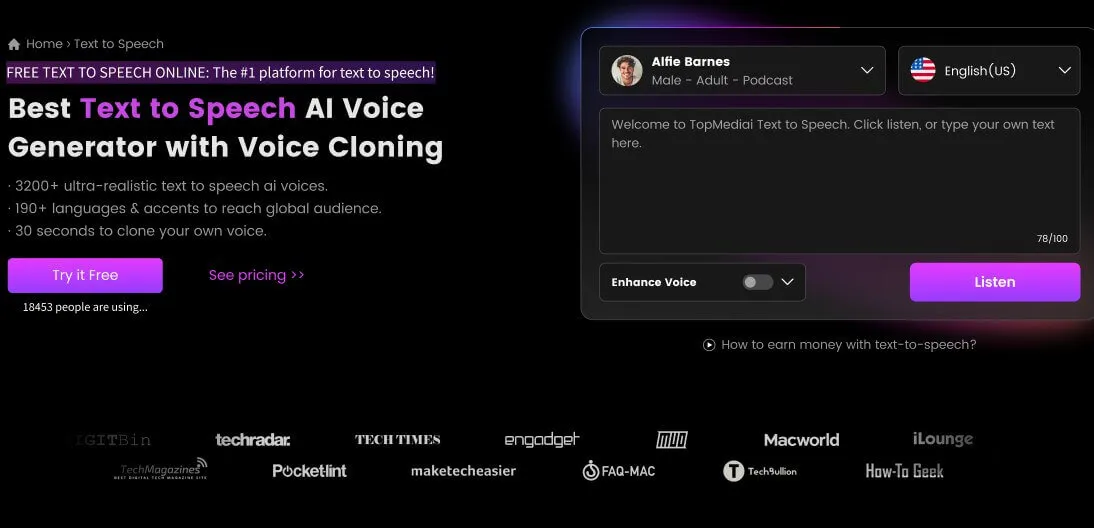
How to Make Trump AI Voice Online [Step by Step Guide]
Step 1: Go to TopMediai text to speech's official dashboard.
Secure Visit
Step 2: Select Donald Trump's voice from the voice library or the Politicians tab.

Step 3: Upload or copy-paste the text that you want to convert into speech. Then adjust the language, pitch, volume, speed, pause, and other voice settings based on your content style.
Step 4: Once ready, click on Generate Speech to create your AI Trump voice content.
Step 5: Preview the result, then download the audio file or use it in your video, music video, dubbing, meme, or social content workflow.
Text to Speech and Voiceover: Convert scripts, stories, ads, tutorials, commentary, and narration into natural-sounding AI voiceovers.
AI Voice Cloning and Character Voices: Create custom voices, character-style voices, game voices, and entertainment voice clips for storytelling, dubbing, and character voice acting.
AI Music Generation: Create original songs, lyrics-based music, hooks, background music, instrumental tracks, and genre-specific music from text prompts.
AI Music Video Creation: Turn songs, lyrics, images, and creative ideas into music videos, lyric videos, and short-form social clips.
AI Video Generation: Generate videos from text, images, references, or visual concepts for cinematic scenes, social content, product videos, and creative storytelling.
Flexible Audio Export and MIDI Workflow: Download audio outputs in popular formats such as MP3 and WAV, and use MIDI-related tools or workflows for music editing, remixing, and further production.
Massive Voice Library: Provides more than 3200 voices and supports 190+ languages and accents for global content creation.
All-in-One AI Creation Studio: Bring music generation, video creation, and voice synthesis together so users can complete a full content idea in one place.
Text to speech API available for developers.
- Make Trump AI voice online without installation.
- Free trials included for quick testing before creating longer content.
- Customization options include speed, pitch, volume, pause, and voice style controls.
- Supports MP3 and WAV downloads for editing, remixing, dubbing, and publishing workflows.
- Connects Trump AI voice creation with AI music, AI video, music video, and creator content workflows.
- More characters, downloads, or advanced creation features may require paid credits or a subscription.
- Celebrity-style voices should be used responsibly for parody, entertainment, and non-misleading content.
Discover more AI Voices with our AI Celebrity Voice Generator:
Try more...
2 Voices AI: Browser-Based Trump AI Voice Generator
Website: Voices AI Donald Trump Voice Generator
Voices AI offers a dedicated Donald Trump AI voice page where users can type text and generate realistic voiceovers for videos, podcasts, or social media content. It is a useful option for quick meme-style audio, short voiceovers, and browser-based experimentation with celebrity-style voices.

Dedicated Donald Trump AI voice page for browser-based text-to-speech generation.
Voice library with celebrity, professional, and multilingual voice options.
Text-to-speech conversion for videos, podcasts, and social media content.
Broader AI voice platform features such as voice cloning, speech transformation, and AI-generated music.
- Dedicated Donald Trump voice page is easy to access.
- Suitable for quick meme audio, short voiceovers, podcasts, and social clips.
- Includes a broader AI voice library for other voice styles.
- Advanced features may require account access or a paid plan.
- Less focused on full music-video or multi-format content creation workflows.
3 ElonTalks: AI Voice & Video Generator Featuring Donald Trump’s Voice
Website: ElonTalks Donald Trump AI Voice & Video Generator
ElonTalks is an AI-powered voice and video generator that supports Donald Trump-style voice and avatar video creation. Users can enter a script, choose an AI avatar and TTS voice, then add text, images, videos, and music to generate short personalized videos.

AI voice and avatar video generation for Donald Trump-style content.
Script-based workflow: choose a voice, enter text, and generate a video.
Supports adding text, images, videos, and music to customize the final video.
User-friendly for short personalized messages, parody videos, and social clips.
- Good fit for short AI avatar videos and personalized messages.
- Combines voice generation with visual customization.
- Simple workflow for non-technical users.
- Limited free access may apply.
- More suitable for short videos than a complete music, voice, and video production workflow.
Comparison Table on the Three Tools Above
| Feature / Platform | TopMediai Text to Speech | Voices AI | ElonTalks |
|---|---|---|---|
| Voice Quality | Ultra-realistic, customizable tone, speed, pitch, volume, and voiceover settings | Realistic Trump-style voiceovers for short audio and social content | Good for short avatar-style video messages |
| Supports Video Creation | ✅ Yes – supports AI video, music video, lyric video, dubbing, and voiceover workflows | ❌ Mainly focused on voice generation and audio creation | ✅ Yes – AI voice and avatar video creation |
| Voice Cloning | ✅ Yes – supports custom voice cloning and character voices | ✅ Voice cloning is part of the broader platform | Not clearly shown |
| Multi-language Support | ✅ 190+ languages and accents – great for global content creators | Voice library includes multilingual and professional voice options | TTS language selection is available, but coverage may vary |
| API Access | ✅ API available for TTS, voice cloning, and developer integration | Not clearly shown on the Donald Trump voice page | Not clearly shown |
| Best For | Full creator workflows: AI voiceovers, music, videos, music videos, ads, and story-driven content | Quick Trump-style voiceovers, meme audio, podcasts, and short social clips | Personalized AI avatar videos and short entertainment messages |
Part 3: Make Donald Trump Sing with AI Song Cover Generator
Ever wondered what it would sound like if a Donald Trump-style AI voice performed a song? With TopMediai AI Song Cover, you can create entertaining AI song covers and use them as part of parody clips, music videos, lyric videos, or social content. It’s a creative way to test how realistic AI voice technology has become while adding entertainment value to your projects.

How to make Trump cover any song realistically:
Step 1: Visit the online dashboard of TopMediai AI Song Cover Generator.
Secure Visit
Step 2: Select the AI model you prefer.
Step 3: Upload files (Multiple formats supported) or paste a YouTube link.

Step 4: Once everything is set, click the 'Generate AI Cover' button.

Part 4: Hot FAQs about Trump Voice Generator
1 Which is the best Donald Trump voice generator free?
If you're looking for a free online Donald Trump AI voice generator, TopMediai Text to Speech is a strong choice because it combines voice generation, adjustable voice settings, 190+ languages and accents, MP3/WAV export, and access to broader AI music and video workflows. Voices AI and ElonTalks can also be considered for quick meme-style audio or short avatar video experiments.
2 How can I make a speech in Trump AI voice online for free?
You can make a Trump AI voice online with TopMediai in a few steps: open the text-to-speech dashboard, choose the Donald Trump voice, enter your script, adjust the voice settings, then generate, preview, and download the audio.
3 Can I use the Trump AI voice for videos or memes?
Absolutely. Many creators use the Trump AI voice to add humor, commentary, or parody to videos, memes, and social media posts. Just be sure to respect platform guidelines and avoid misleading or defamatory usage.
4 Which is the best Donald Trump AI voice generator?
TopMediai Text to Speech is one of the best Donald Trump AI voice generator options for users who want more than a quick voice clip. It is easy to use for beginners, but it also offers voice settings, audio export, voice cloning, API access, and connected music and video creation tools for more complete content projects.
5 Can I use Trump AI voice for commercial purposes?
Trump AI voice content may involve publicity, likeness, platform, and policy concerns, especially if it could be mistaken for real speech. For safest use, keep it clearly labeled as parody, satire, commentary, or entertainment, and avoid misleading, defamatory, political impersonation, or unauthorized commercial usage.
Conclusion
In short, a Donald Trump text to speech tool is a fun and creative way to explore AI voice generation while producing parody, meme, commentary, and entertainment content. The best Trump AI voice generator should not only create realistic voiceovers, but also help you control the tone, export audio easily, and use the result in broader content workflows.
If you're looking for a reliable free Trump voice generator solution, give TopMediai Text to Speech a try. It brings AI voiceover, voice cloning, music generation, video creation, and all-in-one AI content production together in one connected studio.
TopMediai Text to Speech
Create Trump-style AI voiceovers, music, videos, and creator content in one AI studio.

Recent Blogs


