

 Up to 76% off with code




 Join our Discord!

 Text to Speech


Vamos, vamos, Argentina!
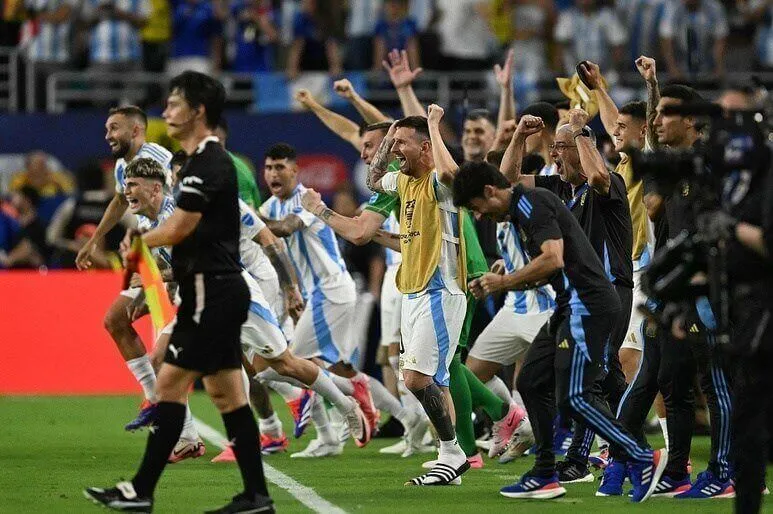
Messi fever is back for the World Cup. Use TopMediai Messi AI Voice to create Argentina match recaps, fan messages, chants, and short videos—and turn your voiceover into a World Cup song or video.

1 Time Free Trial of The Selected Voice Below

Part 1: Why Messi AI Voice Is Trending During the World Cup
During the World Cup, Argentina content is everywhere: match reactions, prediction videos, fan chants, highlight edits, tribute posts, and short-form football commentary. For many creators, Messi is not only a football icon but also a powerful creative symbol for passion, leadership, and Argentina's fighting spirit.

That is why Messi AI Voice is more useful than a simple voice demo. It can help fans, sports creators, podcasters, and marketers quickly add a football-style voiceover to World Cup videos, Argentina fan content, social posts, and matchday stories.
Instead of switching between separate tools for voice, music, and video, TopMediai helps you move from idea to finished content more efficiently: generate a Messi-inspired AI voiceover, create an original Argentina World Cup song, and turn your audio into a short video or music video.
Try Messi AI Voice
Secure Visit
Part 2: What Can You Create with Messi AI Voice?
A good AI voice generator should not only sound interesting. It should help you finish real content faster. Here are some natural ways to use Messi AI Voice for World Cup and football-related projects:
Argentina match recap voiceover: Turn the latest match result, key moments, and fan reactions into a short voiceover for TikTok, YouTube Shorts, Reels, or podcasts.
Messi tribute video: Create emotional narration for Messi career edits, World Cup moments, birthday posts, or Argentina team tribute clips.
World Cup prediction video: Use Messi-inspired AI voice to introduce your next-match prediction, lineup analysis, or knockout-stage discussion.
Argentina fan message: Generate short fan lines such as "Vamos Argentina" or a motivational message for matchday posts and community updates.
Argentina World Cup song intro: Add a football-style voice intro before your AI-generated Argentina anthem, chant, or fan song.
Sports podcast opener: Create an engaging intro for football podcasts, fan channels, or recap shows without recording your own voice.
This makes the Messi AI Voice especially useful for creators who want to produce fast, timely, and shareable World Cup content without spending hours recording, editing, and switching between different creative tools.
Part 3: How to Make Messi AI Voice with TopMediai
1 TopMediai Text to Speech - Messi AI Voice Generator
TopMediai Text to Speech lets you turn written scripts into natural-sounding AI voiceovers. With the Messi AI Voice, you can quickly create football-style narration for match recaps, fan videos, sports commentary, podcast intros, and Argentina World Cup content.
You can write your own script, paste a matchday message, or create a short voice line for your video. Then, use the generated audio directly in your fan edit, podcast, song intro, or social media post.
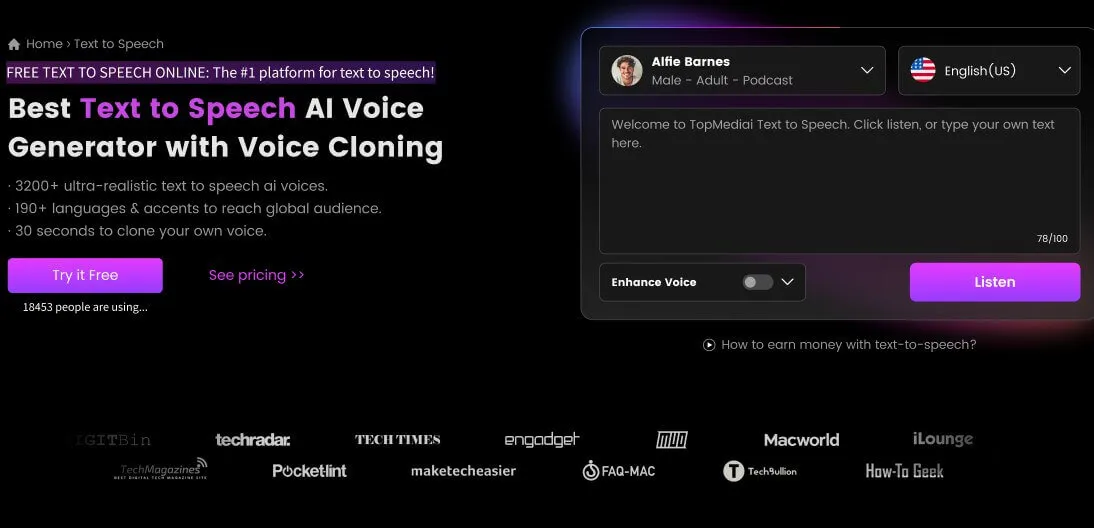
How to generate Messi AI voice using TopMediai Text to Speech:
Step 1: Go to the TopMediai Messi AI Voice dashboard.
Try Messi AI Voice
Secure Visit
Step 2: Select the Messi AI voice and choose the language or accent that fits your content.
Step 3: Enter your script. It can be a match recap, a fan message, a podcast intro, a video narration, or a short line for an Argentina World Cup song.
For PC users:

For mobile users:

Step 4: Customize voice parameters if needed, such as speed, pitch, or tone, so the voiceover better matches your video or audio project.
Step 5: Click the 'Audition' button to preview the Messi AI voice. If you are satisfied, download the audio and use it in your content.
Choose from 190+ languages and accents and 3200+ voices for different text-to-speech needs.
Create AI voiceovers for sports commentary, fan videos, podcasts, social posts, and short-form content.
Pair Messi AI Voice with TopMediai AI Music and AI Video tools to create a complete World Cup song, lyric video, or fan edit.
Download generated audio and use it in videos, podcasts, music intros, fan messages, or personal creative projects.
Explore more creative voice options, including Neymar AI Voice, Ronaldo AI Voice, and Mbappe AI Voice.
Use AI-generated voices responsibly. Avoid misleading audiences or suggesting real endorsement when creating fan, parody, or entertainment content.
2 TopMediai Voice Cloning - Create Football-Style Voices
If you want to create a custom voice for your own football channel, podcast, fan community, or creator brand, TopMediai Voice Cloning can help you build an authorized AI voice from voice samples you own or have permission to use.
For Messi-themed content, it is safer to use the available Messi AI Voice or design a new football-style narrator for parody, fan commentary, and entertainment projects. Do not upload celebrity voice samples unless you have the legal right or clear permission to use them.
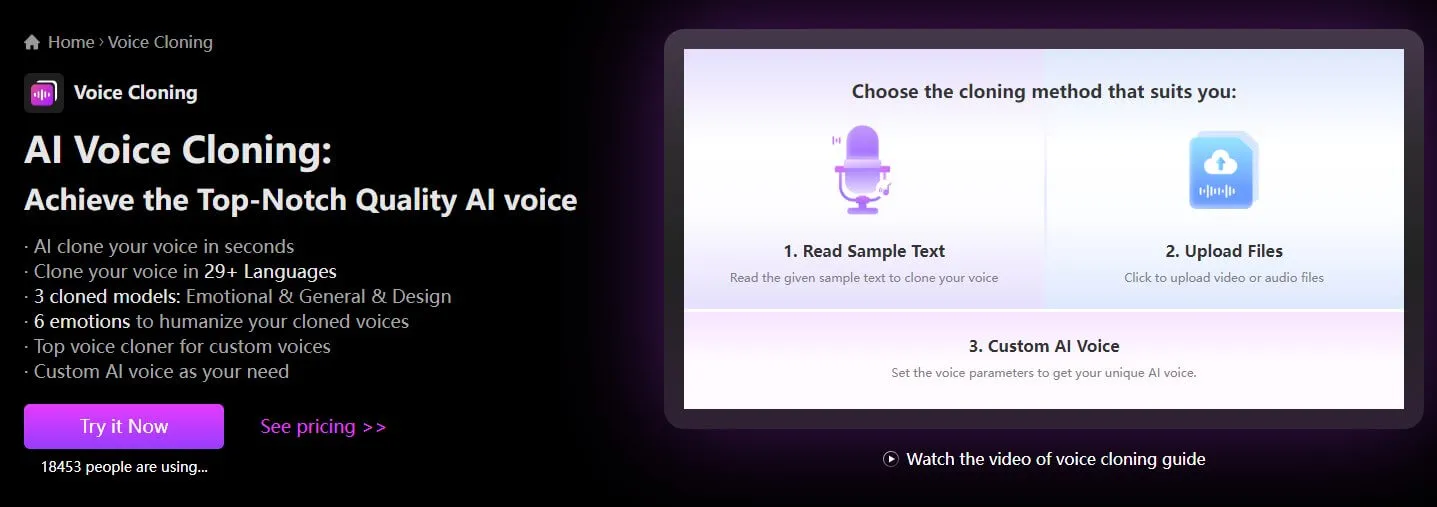
How to create a football-style AI voice on TopMediai:
Step 1: Go to the TopMediai Voice Cloning dashboard.
AI Voice Cloning
Secure Visit
Step 2: Upload voice samples that you own or have permission to use. You can also design a new voice for your football videos, podcasts, or fan content.
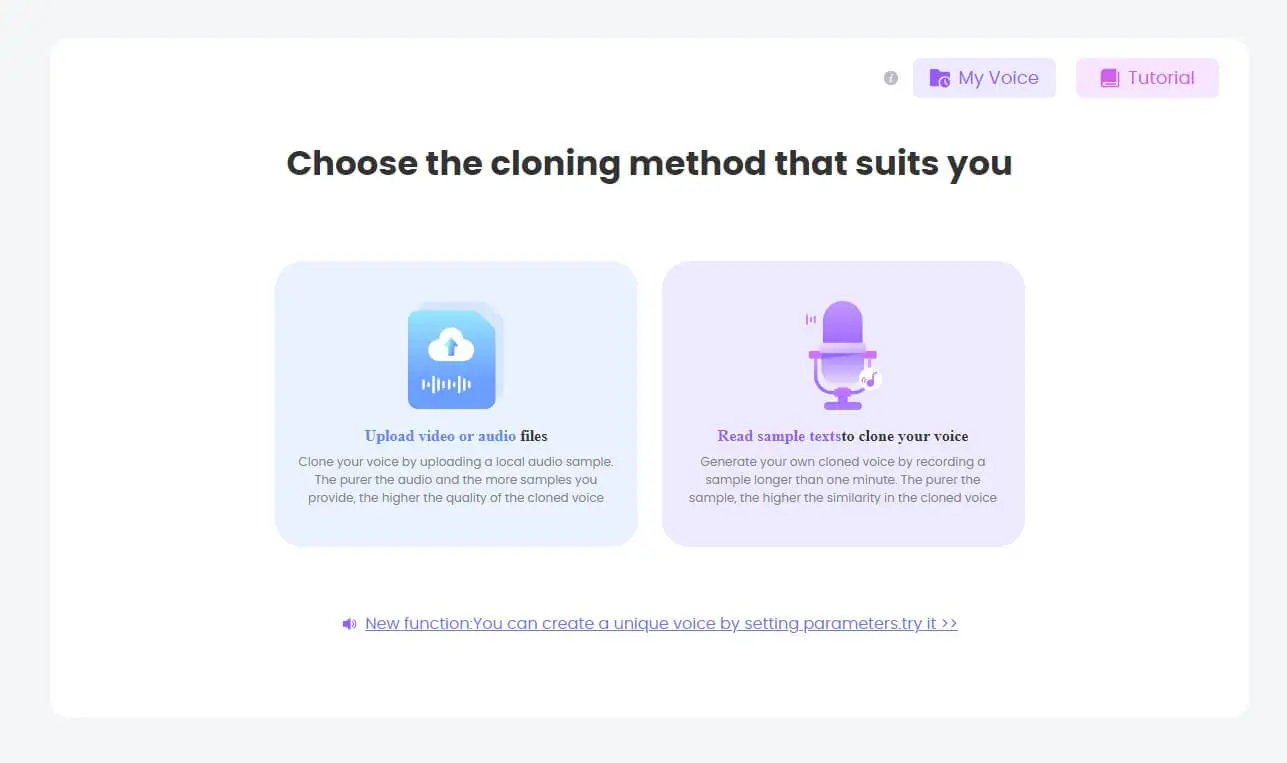
Step 3: Click the 'Start Clone' button and wait for the voice cloning process to finish.

Step 4: After the process is complete, use your authorized AI voice in TopMediai Text to Speech to create voiceovers for videos, podcasts, songs, and other creative projects.

Part 4: Bonus: Create an Argentina World Cup Song and Fan Video
Want to go beyond a simple voiceover? You can use TopMediai as an all-in-one AI content creation workflow for World Cup fan content. Start with a Messi-inspired AI voice line, generate an original Argentina World Cup song, and then turn the song into a short video, lyric video, or fan music video.
Step 1: Write a short fan script. For example: "Vamos Argentina! This is our World Cup moment. Play with heart, fight until the final whistle."
Step 2: Generate the voiceover. Use Messi AI Voice to create a football-style opening line, matchday message, or fan narration.
Step 3: Create an Argentina World Cup song. Use TopMediai AI Music Generator to make a fan anthem, stadium chant, Latin pop song, or emotional cinematic track.
Step 4: Make it visual. Turn your song, lyrics, images, or prompt into a short fan video, lyric video, or music video with TopMediai AI Video tools.
Step 5: Publish and test. Use the final content on TikTok, YouTube Shorts, Instagram Reels, X, Discord, or your football fan community.
Prompt ideas for Argentina World Cup songs:
1 Stadium chant style
Create an energetic Argentina World Cup chant with crowd vocals, drums, claps, and a strong "Vamos Argentina" hook.
2 Latin pop fan anthem
Create an uplifting Latin pop song for Argentina fans, with emotional verses, a catchy chorus, and a celebratory World Cup mood.
3 Messi tribute song
Create a cinematic football tribute song about Messi, Argentina, legacy, teamwork, and one last dream on the World Cup stage.
Create Argentina World Cup Song
Secure Visit
Make World Cup Music Video
Secure Visit
Part 5: FAQs about Messi AI Voice
1 How can I generate Messi AI voice?
With TopMediai Text to Speech, you can generate Messi AI voice in a few steps: select the Messi AI voice, enter your script, preview the audio, and download the final voiceover for your project.
2 What can I use Messi AI Voice for during the World Cup?
You can use Messi AI Voice for Argentina match recaps, fan videos, podcast intros, World Cup prediction videos, tribute edits, sports commentary, and short-form social content. For a stronger result, combine the voiceover with AI music and AI video.
3 Can I create an Argentina World Cup song with TopMediai?
Yes. You can use TopMediai AI Music Generator to create an original Argentina World Cup song, fan chant, stadium anthem, or Messi tribute track from lyrics or a simple prompt.
4 Can I turn Messi AI Voice and an Argentina song into a video?
Yes. After generating your voiceover and song, you can use TopMediai AI Music Video Generator or TopMediai AI Video Generator to create a lyric video, fan edit, matchday video, or social media clip.
5 Is it okay to use Messi AI Voice for commercial content?
You should use AI-generated celebrity-inspired voices responsibly. Avoid misleading viewers, impersonating a real person, or suggesting that Messi officially said or endorsed something. For brand campaigns, ads, or commercial projects, check the relevant rights and platform rules before publishing.
You may also like:
More Football Stars:
FIFA Voice Generator: Generate Neymar AI Voice with Ease
Ronaldo AI Voice Generator: Generate Legendary Ronaldo Voiceover
Fast as Mbappe! How to Generate Kylian Mbappe Voice through TTS
Create More World Cup Content:
AI World Cup Song Generator: Create Your Own Football Anthem
AI Music Video Generator: Turn Songs and Lyrics into Videos
AI Video Generator: Create Football Videos from Text, Images, or Prompts
Conclusion Lionel Messi remains one of the most inspiring figures in football, and the World Cup season gives fans endless moments to remix, celebrate, and share. With TopMediai's Messi AI Voice Generator, you can quickly create football-style voiceovers for match recaps, fan videos, podcasts, and Argentina content.
If you want to go further, TopMediai also helps you create original World Cup songs and turn them into videos in one connected workflow. Start with Messi AI Voice, add an Argentina fan song, and create your own World Cup content today.Try it free today!
Messi AI Voice
Secure Visit

-

October 13, 2026
GPT Image 2.5 vs Nano Banana 2.1: Which Is Better? -

September 30, 2026
Kling 4.0 Review: What's New, What's Good, What's Still Missing -

-

September 24, 2026
Grandma GTA Game Video Breakdown: Prompts Included -

September 20, 2026
Suno Studio 2.0 Review: Is It Worth the Premier Plan?
Recent Blogs


